diode(a−b+.5)
diodes= a - b + 0.5, or 0 where that is negativediode(a-b) shifted up by 0.5: a passes once it is less than 0.5 below b. Only positive results matter: a negative result becomes 0, which limits a bipolar signal to unipolar values.
SEE IT MOVE
Computed in your browser with KINSPIRATION's FUN engine. Drag on the map to try any a and b.
WHAT TO KNOW
INPUTS
a: the signal; b: the threshold, a constant or a controller.
OUTPUT RANGE
0..+1
USE IT FOR
A window that opens below the threshold: with b OFF a bipolar source passes from -0.5 up, three quarters of its swing; with b a controller, the controller moves the opening point.
WATCH OUT
With b at 0 a bipolar source passes from −0.5 up; the output reaches 1 only when a − b reaches 0.5.
IN THE FACTORY PROGRAMS
In 6 FUN slots of the factory programs: FUN3 4, FUN1 2. GFUN2 and GFUN4 are the program's global FUNs.
MOST USED INPUTS (a, b)
WHERE THE OUTPUT GOES
FIND THEM ON YOUR K2700
HOW TO ON YOUR K2700 · 594 Mono Trekkies FX
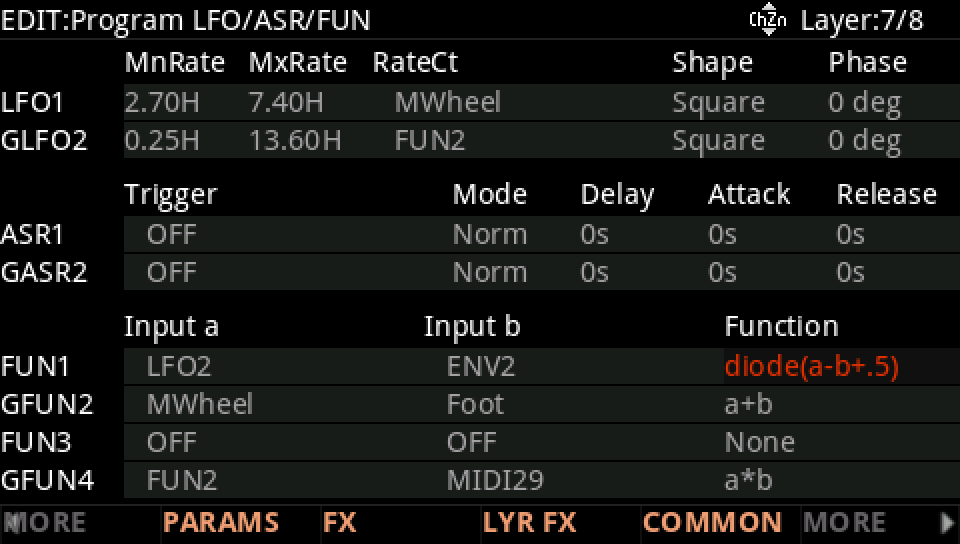
Mono Trekkies FX uses diode(a-b+.5) on its layer 7: see it, then where it goes.
In Program mode choose 594 Mono Trekkies FX (KEYPAD, 594, ENTER).

Press EDIT, go to layer 7 with CHANNEL/LAYER ▲, then MORE and LFO+. The FUN1 row: Input a LFO2, Input b ENV2, Function diode(a-b+.5).
Where it goes: MORE, DSP MOD. On the HP Frq row Source 2 is FUN1, its depth from 0 ct to 2400 ct as FUN2 rises.
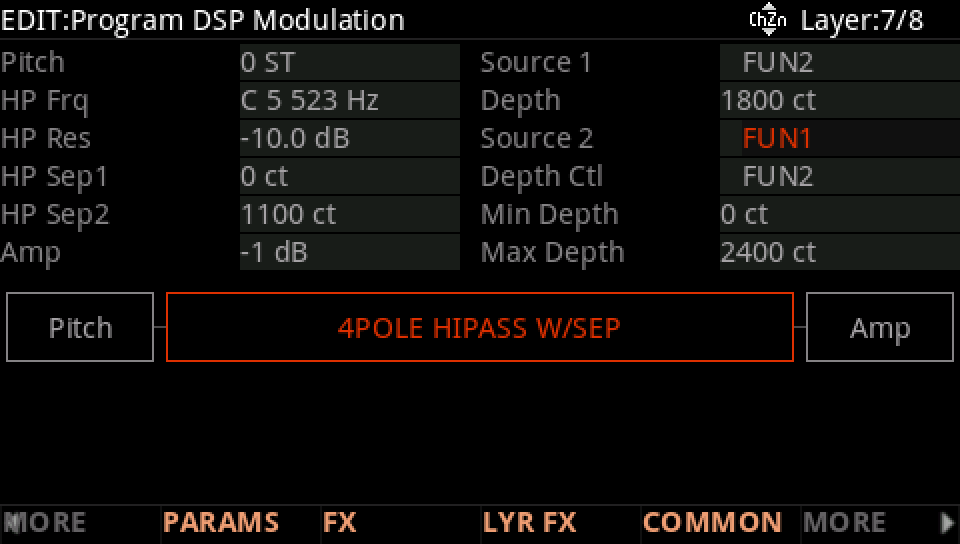
Hold a note: the HP Frq row follows FUN1.
Press EXIT and answer NO to leave the factory program as it was, or SAVE to keep your version on a USER ID.