Delay, attack, release
ShapeDelay · Attack · ReleaseAn ASR is the simplest envelope: once triggered it waits for its Delay, rises from 0 to 1 in its Attack time, and falls back to 0 in its Release time. Three times in seconds, and a shape that drives whatever reads it.
SEE IT MOVE
Computed in your browser with KINSPIRATION's ASR engine, frame by frame.
WHAT TO KNOW
THE FIELDS
Delay, Attack and Release, on the ASR page: 0 to about 30 s each. Each layer has ASR1 and ASR2.
THE SHAPE
Straight lines: 0 during the Delay, a rise to 1 over the Attack, a fall to 0 over the Release. The output is 0 to 1; a field reading it gives it a depth in its own units.
USE IT FOR
A vibrato that fades in after the note has settled, a filter that opens slowly, a level that sinks after the attack: anything that should arrive late or slowly.
WATCH OUT
Notes shorter than the Delay never hear the rest. A Release of 0 drops at once, which can click on a level.
IN THE FACTORY PROGRAMS
1566 ASRs in use in 435 factory programs: ASR1 in 1293 layers, a per-voice ASR2 in 205 and a global ASR2 in 68 programs. Median times: delay 0.1 s, attack 1 s, release 3.8 s.
THE DELAY
THE ATTACK
FIND THEM ON YOUR K2700
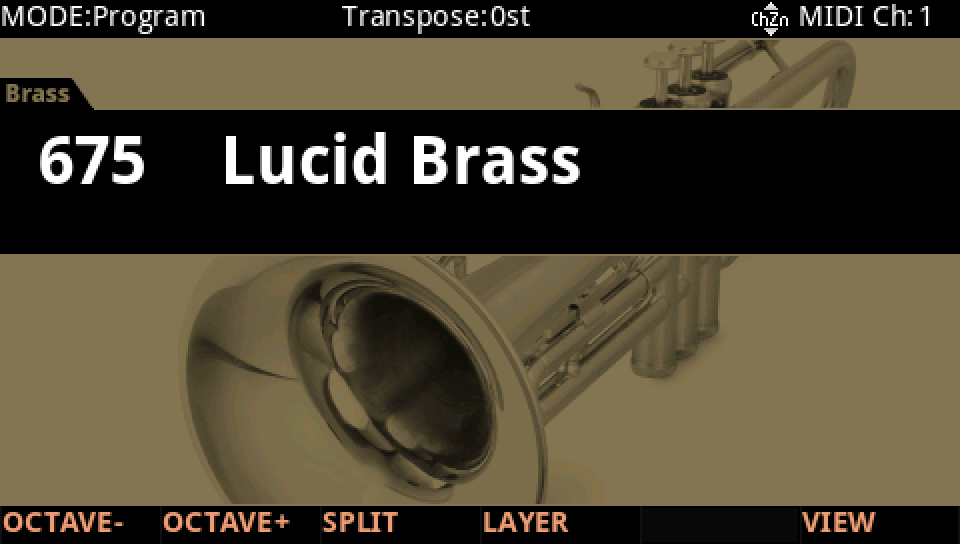
HOW TO ON YOUR K2700 · 675 Lucid Brass
Lucid Brass's ASR1 brings its vibrato in after the note has settled.
In Program mode choose 675 Lucid Brass (KEYPAD, 675, ENTER).
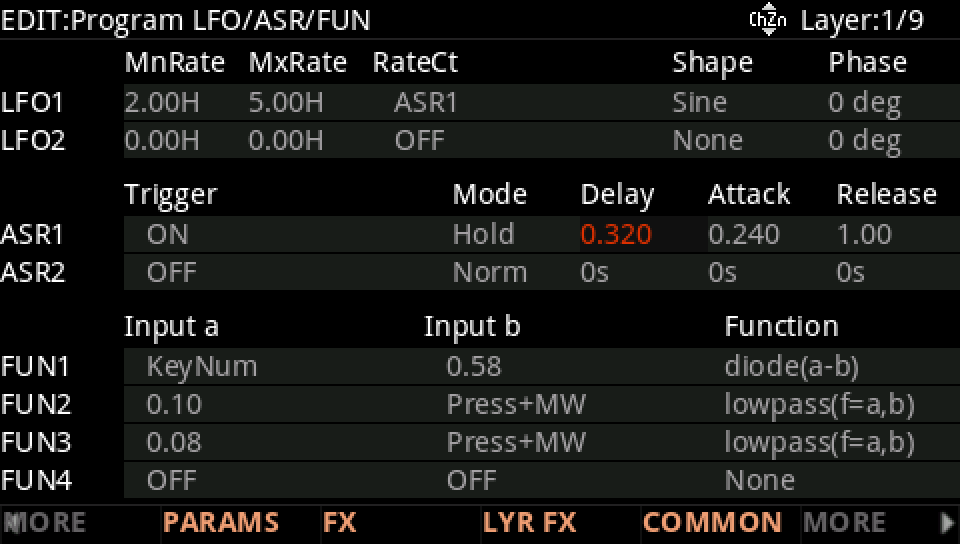
Press EDIT, then MORE and LFO+. ASR1: Delay 0.32 s, Attack 0.24 s, Release 1 s, in Hold.
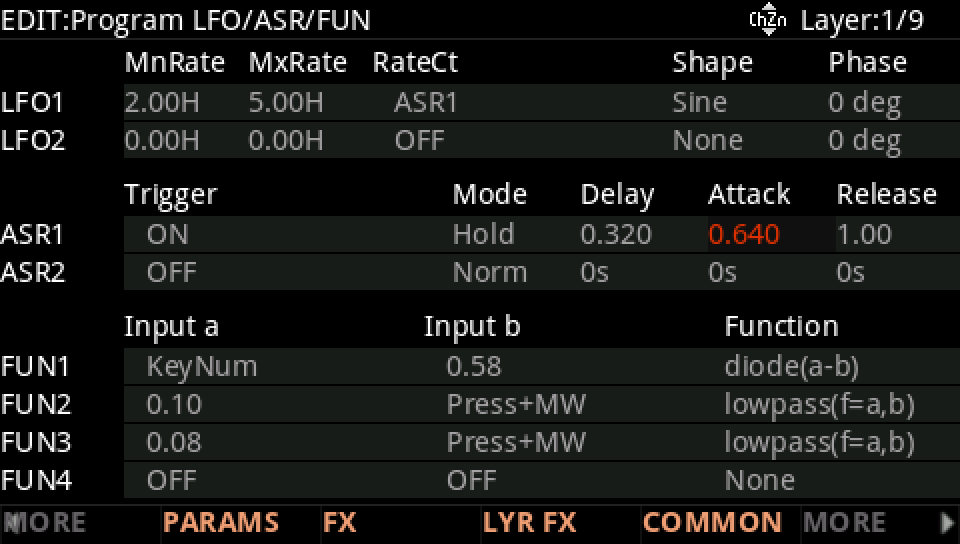
Raise the Attack, here to 0.64 s: the vibrato fades in more slowly.
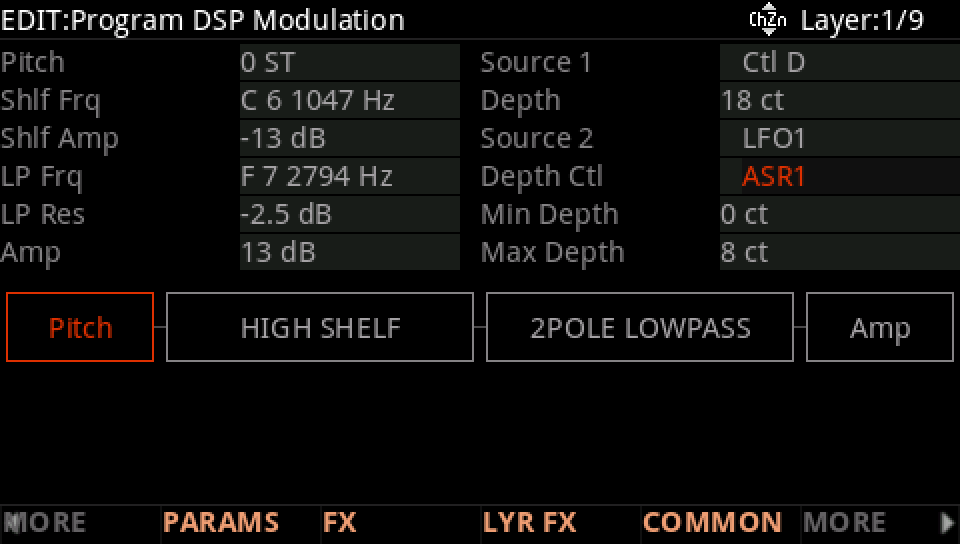
Where it goes: on DSP MOD, the Pitch row's Depth Ctl is ASR1: the vibrato's depth follows it.
Press EXIT and answer NO to leave the factory program as it was, or SAVE to keep your version on a USER ID.