a/2+b
sums and mixes= a / 2 + bHalf of a plus b: a counts half as much as b.
SEE IT MOVE
Computed in your browser with KINSPIRATION's FUN engine. Drag on the map to try any a and b.
WHAT TO KNOW
INPUTS
a: the lesser source; b: the main one, or a constant offset.
OUTPUT RANGE
-1..+1, clamped
USE IT FOR
A controller as a smaller extra on another source; a scaled and offset control (MIDI22 / 2 + 0.05: Slider 3 mapped to 0.05..0.55, 13 factory slots).
WATCH OUT
b counts twice as much as a, and the sum is clamped: with b near +1 there is no room left for a.
IN THE FACTORY PROGRAMS
In 68 FUN slots of the factory programs: FUN1 32, FUN4 30, FUN3 4, GFUN4 2. GFUN2 and GFUN4 are the program's global FUNs. 32 of these slots have both inputs OFF, unused slots that keep this equation: its real uses are 36.
MOST USED INPUTS (a, b)
WHERE THE OUTPUT GOES
FIND THEM ON YOUR K2700
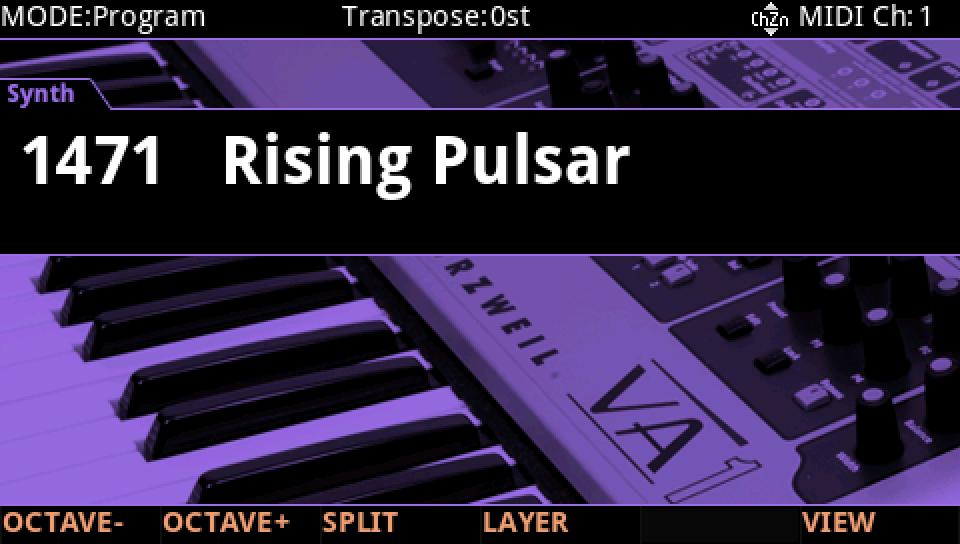
HOW TO ON YOUR K2700 · 1471 Rising Pulsar
Rising Pulsar uses a/2+b on its layer 2: see it, then where it goes.
In Program mode choose 1471 Rising Pulsar (KEYPAD, 1471, ENTER).
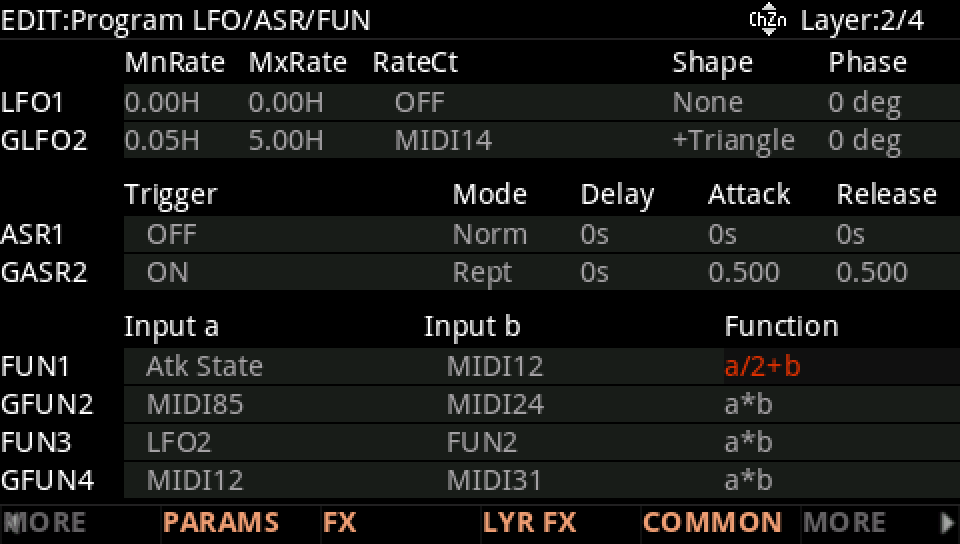
Press EDIT, go to layer 2 with CHANNEL/LAYER ▲, then MORE and LFO+. The FUN1 row: Input a Atk State, Input b MIDI12 (Slider 1), Function a/2+b.
Where it goes: MORE, DSP MOD. On the LP Frq row Source 1 is FUN1, with a Depth of 5500 ct.
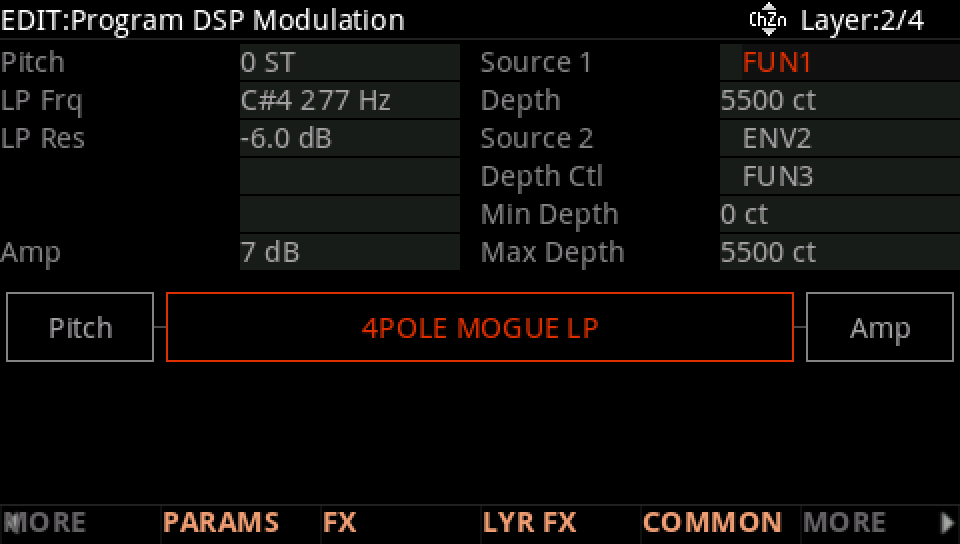
Play notes and let them go. Move Slider 1 (MIDI12): the LP Frq row follows FUN1, Atk State / 2 + MIDI12.
Press EXIT and answer NO to leave the factory program as it was, or SAVE to keep your version on a USER ID.