One layer into the next
CascadeAlt Input · ALT56 ALGs start from ALT instead of the KEY: another layer's output, chosen with the layer's Alt Input. The first layer makes or shapes a sound and the second takes it through four more blocks, a cascade of eight. The first layer's AMP is usually turned all the way down, so only the second is heard.
SEE IT MOVE
Computed in your browser with KINSPIRATION's DSP functions, sample by sample; the KEY is the Sawtooth Wave keymap.
WHAT TO KNOW
ALT
On the diagram ALT.L (and ALT.R for a stereo source) replaces KEY > PITCH. The source is the layer the Alt Input names.
THE SOURCE'S LEVEL
The source layer still plays at its AMP; at −96 dB it is silent on its own and heard only through the cascade.
USE IT FOR
More than four blocks: an oscillator layer into a filter layer, two filters in a row, a distortion then an EQ.
WATCH OUT
Each layer of a cascade takes its own voice: a cascade of two costs two voices a note.
IN THE FACTORY PROGRAMS
56 of the 106 ALGs read ALT; 917 factory layers take another layer's output.
THE CASCADE ALGS
FIND THEM ON YOUR K2700
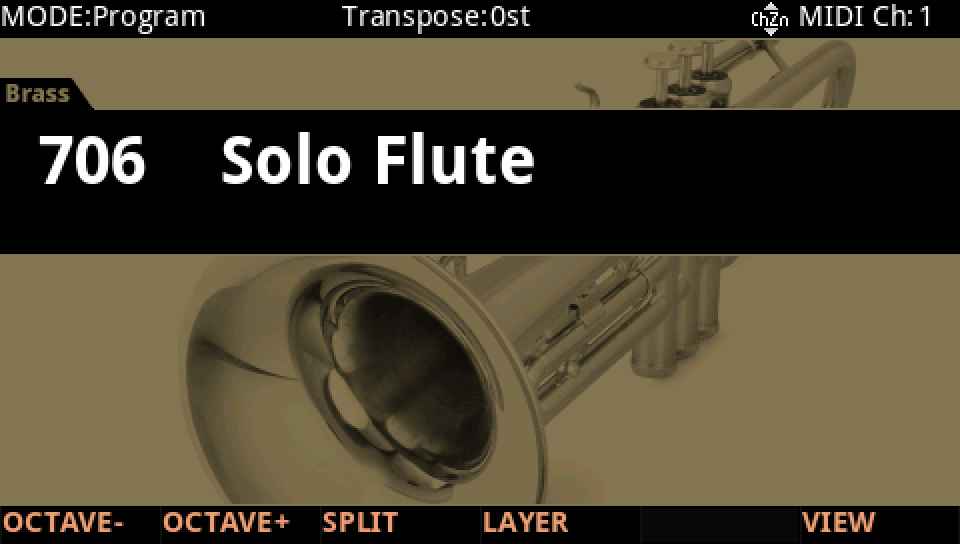
HOW TO ON YOUR K2700 · 706 Solo Flute
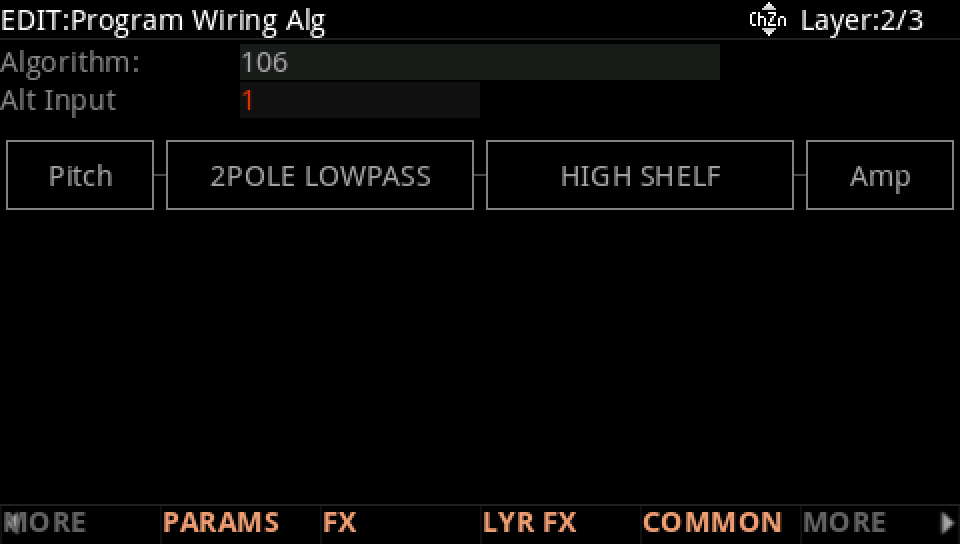
Solo Flute's second layer takes the first layer's sound and filters it again: a cascade.
In Program mode choose 706 Solo Flute (KEYPAD, 706, ENTER).
Press EDIT, go to layer 2 with CHANNEL/LAYER ▲, then MORE and ALG: Algorithm 106 starts from ALT, and the Alt Input is layer 1: that layer's sound comes in through a 2POLE LOWPASS and a HIGH SHELF.
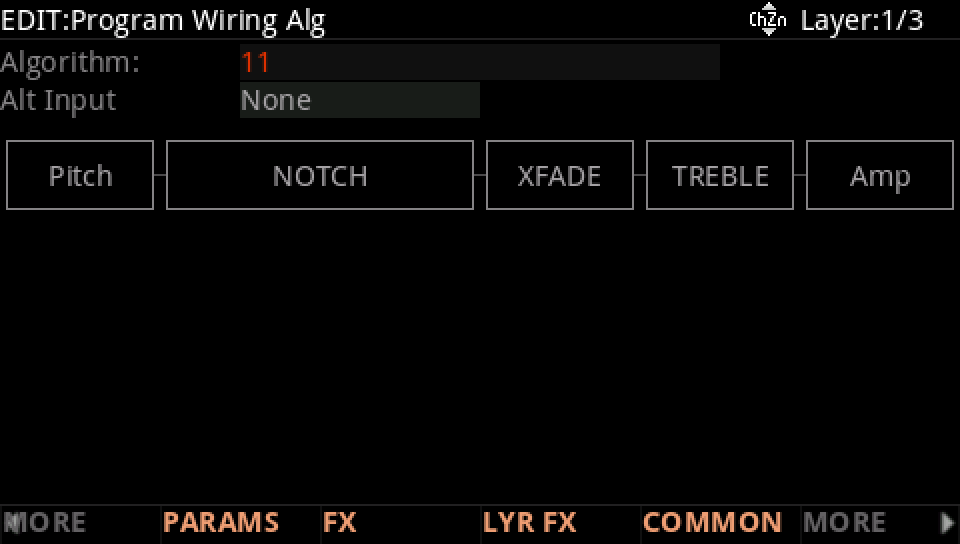
Go to layer 1 with CHANNEL/LAYER ▼: its own path, Algorithm 11, makes the sound layer 2 takes in.
Press EXIT and answer NO to leave the factory program as it was, or SAVE to keep your version on a USER ID.