Keys and velocities
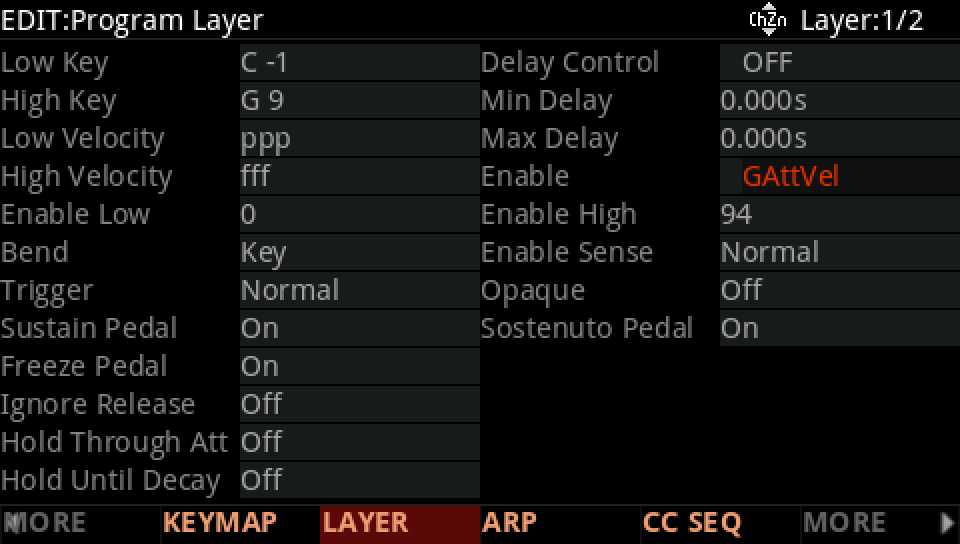
LAYER pageLow / High Key · Low / High Velocity · EnableA layer's LAYER page decides which notes it plays. Low Key and High Key give its keys, a split; Low Velocity and High Velocity its eight levels, ppp to fff. Enable switches it by a source: GAttVel, the note's velocity, between Enable Low and Enable High, or a control such as VARIATION.
SEE IT MOVE
The screens are the K2700's pages for the factory program named; the maps are drawn from its layers and its PARAMS rows. Nothing plays here: open the program on your K2700 and listen as you go.
WHAT TO KNOW
A SPLIT
Layers with ranges side by side split the keyboard; ranges that overlap stack. Hold ENTER on Low Key or High Key and press a key to set it.
BY VELOCITY
Low and High Velocity work in eight steps, ppp to fff. Enable at GAttVel works on the velocity itself, 0 to 127: the factory uses it for most of its velocity switches.
BY A CONTROL
Enable on MIDI 29, the VARIATION button, between 64 and 127, plays the layer while VARIATION is on. Enable Sense Reverse turns it over: the layer plays while the source is outside the range.
WATCH OUT
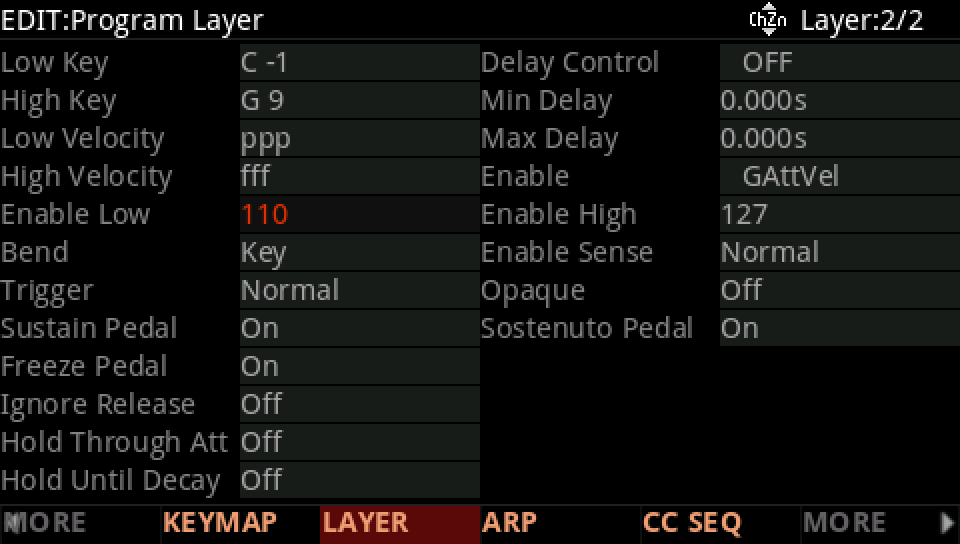
Between two layers switched by velocity, leave no gap and no overlap, or some notes play nothing and others both.
IN THE FACTORY PROGRAMS
4,231 layers in 646 programs play part of the keyboard; 1,080 in 139 programs switch by an Enable window on GAttVel, 432 in 96 by Low and High Velocity; VARIATION brings in 1,375.
WHAT SWITCHES A LAYER ON
HOW THE FACTORY CHOOSES NOTES
FIND THEM ON YOUR K2700
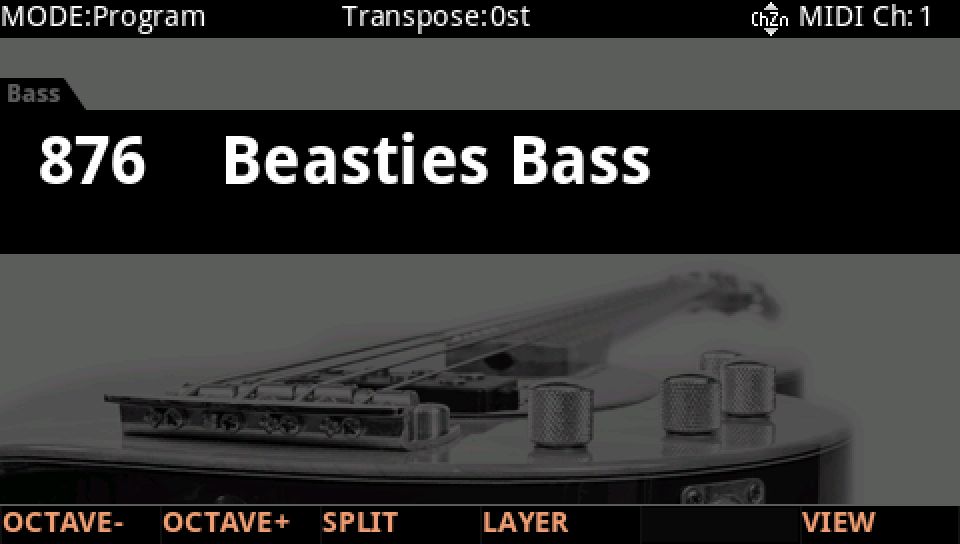
HOW TO ON YOUR K2700 · 876 Beasties Bass
Beasties Bass switches between two layers by how hard you play. See the switch on the LAYER page.
In Program mode choose 876 Beasties Bass (KEYPAD, 876, ENTER).
Press EDIT, then MORE and LAYER. Layer 1 covers the keyboard; its Enable is GAttVel, from 0 to 94: it plays the notes up to that velocity.
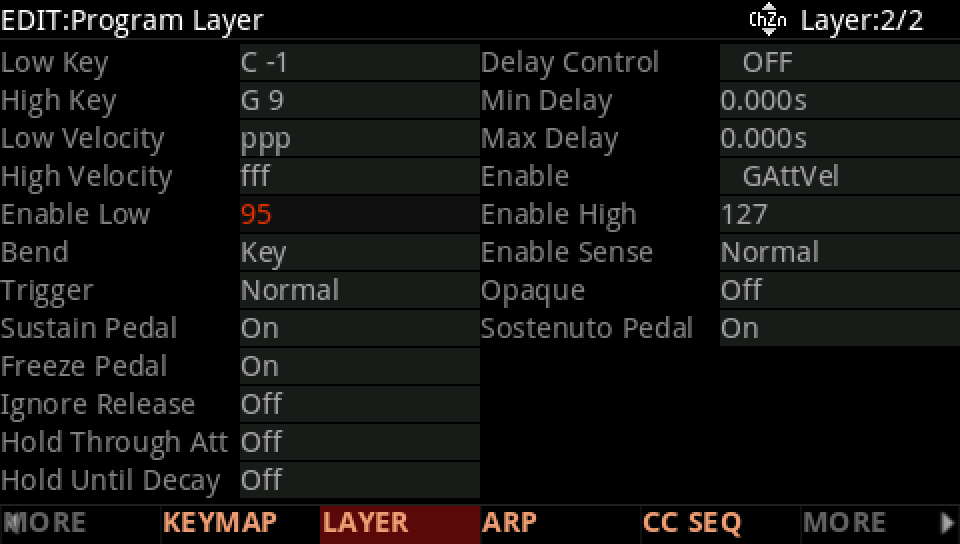
Press CHANNEL/LAYER ▲, layer 2: the same keymap, its Enable GAttVel from 95 to 127: the hard notes.
Turn Enable Low up, here to 110: you play harder before the second layer takes over. Raise layer 1's Enable High to match, or the notes in between play nothing.
Low Velocity and High Velocity do the same in eight steps, ppp to fff; Low Key and High Key split the keyboard.
Press EXIT and answer NO to leave the factory program as it was, or SAVE to keep your version on a USER ID.