The map of Program Edit
PagesEDIT · soft buttons · MORE · CHANNEL/LAYER · EXITEDIT opens a program in Program Edit. The soft buttons under the display choose its pages, MORE shows the next set, CHANNEL/LAYER chooses the layer. PARAMS, FX, COMMON, ARP and CC SEQ belong to the whole program; KEYMAP, LAYER, ALG, DSP CTL, DSP MOD, OUTPUT, the envelopes, LFO+ and LYR FX to the layer shown at the top right.
SEE IT MOVE
The screens are the K2700's pages for the factory program named; the maps are drawn from its layers and its PARAMS rows. Nothing plays here: open the program on your K2700 and listen as you go.
WHAT TO KNOW
MOVING AROUND
The cursor buttons pick a field, the Alpha Wheel or - and + change it, KEYPAD types a value and ENTER confirms it. CHANNEL/LAYER ▲ and ▼ step through the layers; both together go back to layer 1.
THE PROGRAM AND THE LAYER
A page of the program shows the same whatever the layer; a layer's page shows the layer at the top right. A change on a layer's page changes only that layer.
EDIT AND EXIT
On a field with an editor of its own, a keymap, a chain, a PARAMS row, the ALG, EDIT lights and opens it. EXIT goes back a step; leaving the editor with changes, the K2700 asks whether to save.
WATCH OUT
An FM layer has FM MAIN, FM OPER, FM LYR, FM AMP and FM INPUT where a VAST layer has ALG, DSP CTL, DSP MOD, OUTPUT and ENV3. A KB3 organ has an editor of its own.
IN THE FACTORY PROGRAMS
The 1,544 factory programs: 113 with an FM layer, 76 KB3 organs with an editor of their own, the rest VAST layers. A median of 4 layers, up to 32 (683 Bull Brass).
LAYERS PER PROGRAM
LAYER TYPES
FIND THEM ON YOUR K2700
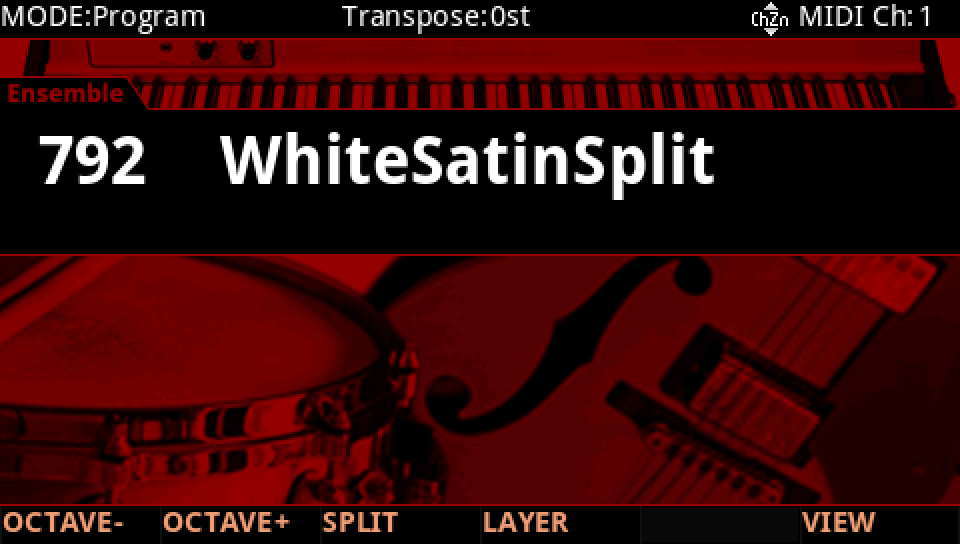
HOW TO ON YOUR K2700 · 792 WhiteSatinSplit
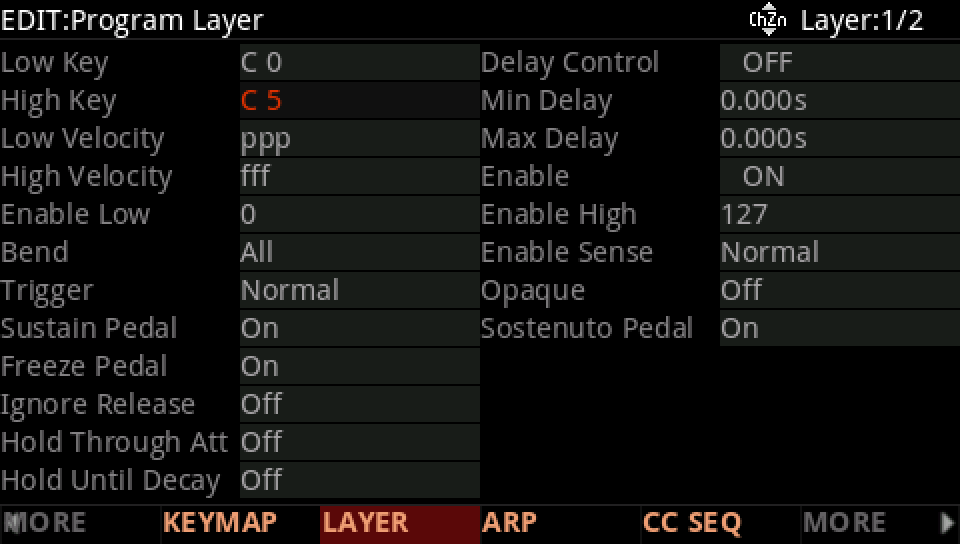
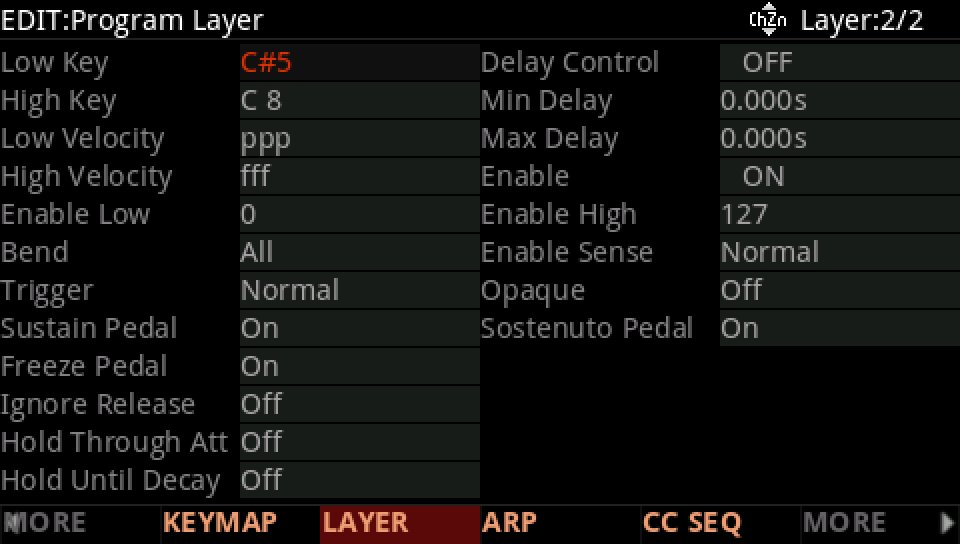
WhiteSatinSplit has two layers, strings below C#5 and a flute above. Walk through the editor's pages.
In Program mode choose 792 WhiteSatinSplit (KEYPAD, 792, ENTER).
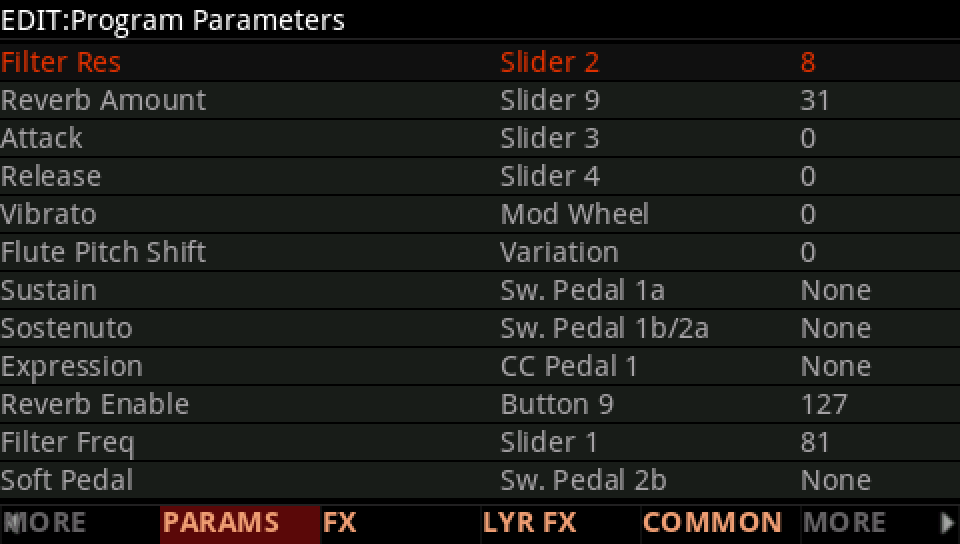
Press EDIT: the editor opens on PARAMS, the program's controls. PARAMS, FX, COMMON, ARP and CC SEQ belong to the whole program; every other page to the layer shown at the top right.
Press MORE (the arrow on the right) until KEYMAP and LAYER show, then LAYER: layer 1 plays from C 0 to C 5.
Press CHANNEL/LAYER ▲: layer 2, the flute, from C#5 to C 8. The page stays, the layer changes.
MORE again shows ALG, DSP CTL, DSP MOD and OUTPUT, then AMP ENV, ENV2, ENV3 and LFO+. ALG is layer 2's wiring.
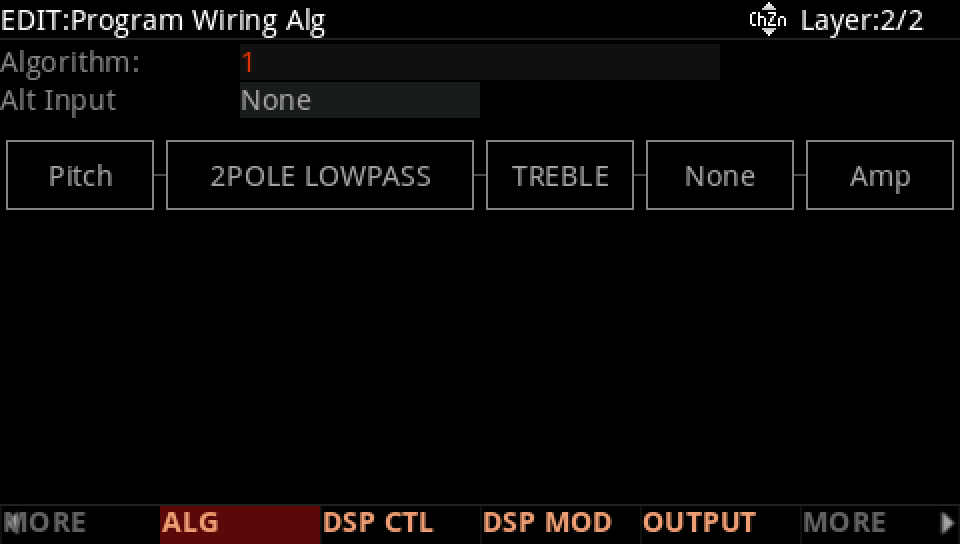
On a field with an editor of its own (a keymap, a chain, a PARAMS row) EDIT lights and opens it. EXIT goes back one step, and from the editor it leaves.
Press EXIT and answer NO to leave the factory program as it was, or SAVE to keep your version on a USER ID.