Levels and loudness
LevelAMPENV level → dBOn the AMPENV a level is a loudness: 100 % is the layer's full level, 50 % is 18 dB down and 10 % is 40 dB down. A rising attack moves straight in amplitude, so even a slow one is heard at once; every other segment moves straight in dB, so a decay falls evenly to the ear.
SEE IT MOVE
Computed in your browser with KINSPIRATION's envelope engine, frame by frame; the tone follows each note's envelope.
WHAT TO KNOW
THE TABLE
100 % 0 dB, 90 % −3.4, 75 % −8.6, 60 % −14.3, 50 % −18.1, 40 % −22.1, 25 % −28.4, 10 % −40.2, 3 % −67 and 0 % silence, straight between them.
THE SEGMENTS
A rising attack segment goes straight in amplitude between its two levels: from 0 to 100 % in 1.5 s it is only 23 dB down after 0.12 s. A falling attack, the decay and the releases go straight in dB: from 100 % to 0 % in 4 s is 24 dB a second.
USE IT FOR
Sustains of 70 to 90 % for a sound that settles a little (−11 to −3.4 dB). For a slow start from silence, rising segments through low levels: 10 %, then 50 %, then 100 %.
WATCH OUT
Half the level is far less than half as loud: 50 % is 18 dB down. Small levels are very quiet: 10 % is 40 dB down, 3 % is 67.
IN THE FACTORY PROGRAMS
The factory's User AMPENVs sustain at a median of 74 % (-9.0 dB); 1200 hold at 100 %, 1441 decay to 0 % and 1762 settle in between.
THE SUSTAIN, IN dB
THE MOST USED SUSTAINS
FIND THEM ON YOUR K2700
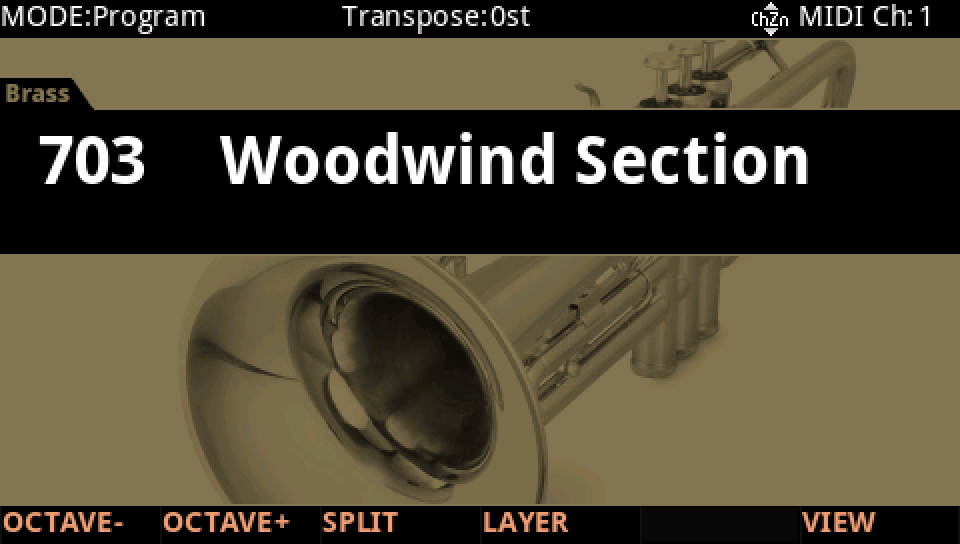
HOW TO ON YOUR K2700 · 703 Woodwind Section
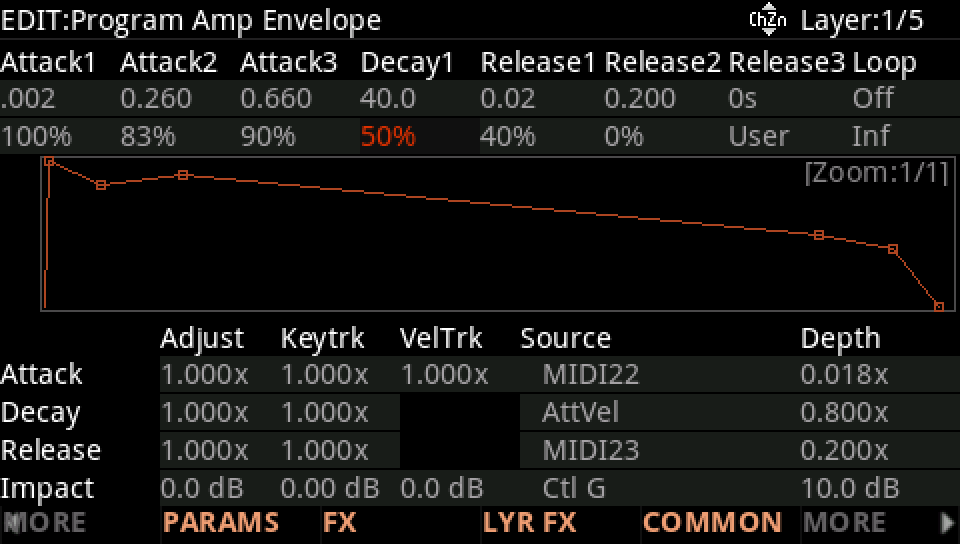
Woodwind Section's first layer settles at 50 %, 18 dB down. Move the level and listen to the loudness.
In Program mode choose 703 Woodwind Section (KEYPAD, 703, ENTER).
Press EDIT, then MORE and AMP ENV. Decay1 goes to 50 %, held while the key is down: 18 dB under the full level.
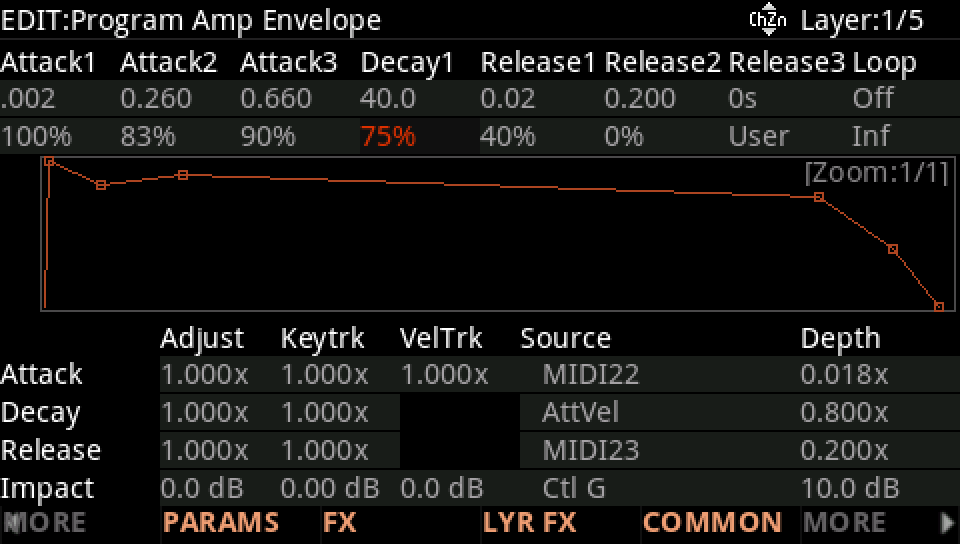
Raise the level with the Alpha Wheel, here to 75 %: 8.6 dB down now, nearly twice as loud to the ear.
Press EXIT and answer NO to leave the factory program as it was, or SAVE to keep your version on a USER ID.