Seven segments
ShapeAtt1..3 · Dec1 · Rel1..3An envelope is seven segments, each a time and the level it reaches: three to attack, one to decay to the sustain, held while the key is down, and three to release once the key is let go. Drag the points on the right.
SEE IT MOVE
Computed in your browser with KINSPIRATION's envelope engine, frame by frame; the tone follows each note's envelope.
WHAT TO KNOW
THE FIELDS
Att1, Att2 and Att3: a time and a level each. Dec1: the time to the sustain level, held while the key is down. Rel1, Rel2 and Rel3: a time and a level each, after the key is let go.
RANGE
Times from 0 to 60 s. AMPENV levels from 0 to 100 %; ENV2 and ENV3 from −100 to +100 %. A segment of 0 s is skipped and keeps the level before it, except Att1, which jumps. The AMPENV's Rel3 always ends at 0.
USE IT FOR
One attack segment and a decay for most sounds; three attack segments for a two-stage rise or a swell with a dip; release segments for a tail that falls fast, then lingers.
WATCH OUT
The release starts from wherever the envelope is when the key is let go, and its levels are absolute: a Rel1 level above the sustain rises before it falls.
IN THE FACTORY PROGRAMS
4403 User AMPENVs, 2491 ENV2s and 912 ENV3s in the factory's 8829 VAST layers. 745 AMPENVs use all three attack segments; 704 release in two or three.
ATT1 TIME
SUSTAIN LEVEL
FIND THEM ON YOUR K2700
HOW TO ON YOUR K2700 · 1233 Beholder's Pad
Beholder's Pad's third layer: an attack, a decay to a sustain and a release. Change them and play.
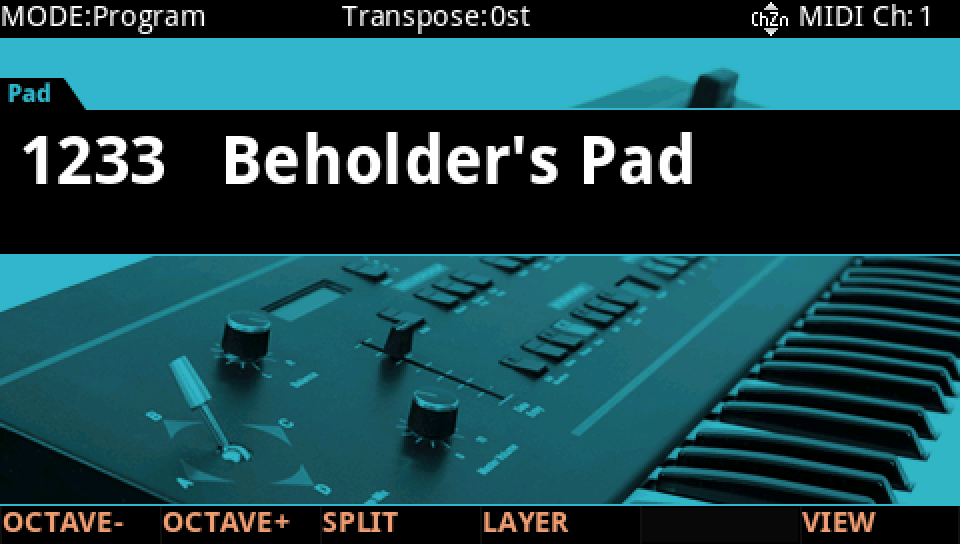
In Program mode choose 1233 Beholder's Pad (KEYPAD, 1233, ENTER).
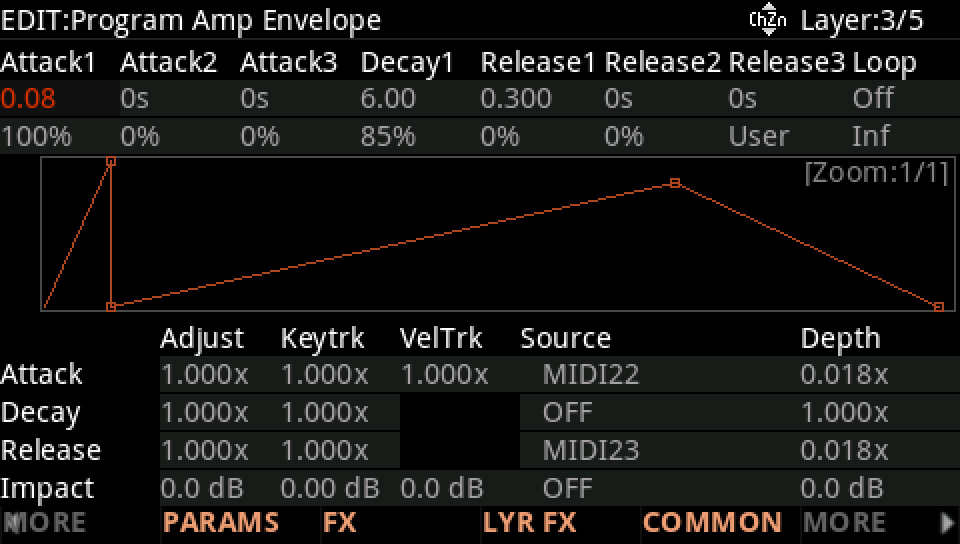
Press EDIT, go to layer 3 with CHANNEL/LAYER ▲, then MORE and AMP ENV. Attack1 is 80 ms to 100 %, Decay1 6 s to 85 %, Release1 0.3 s.
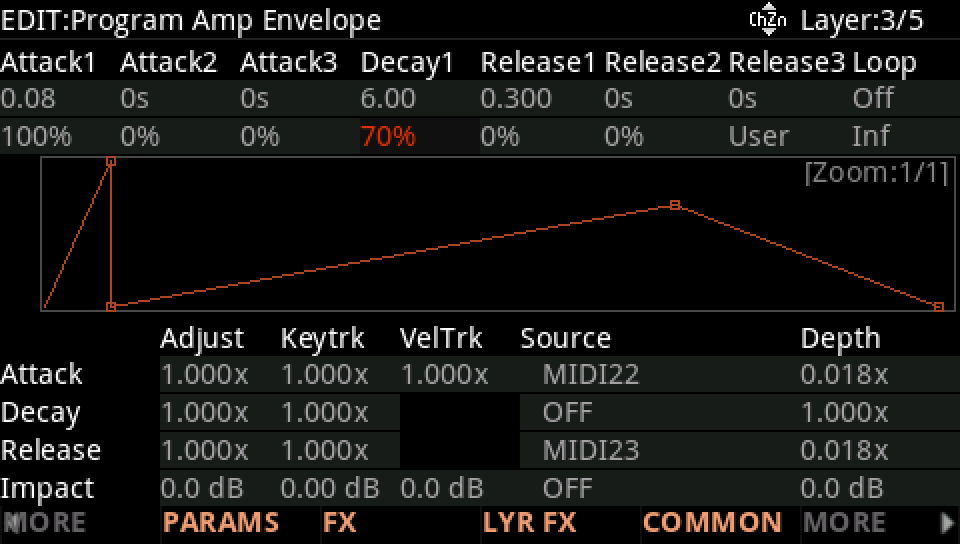
Move the cursor to Decay1's level (the row under the times) and turn the Alpha Wheel down, here to 70 %: the note settles lower.
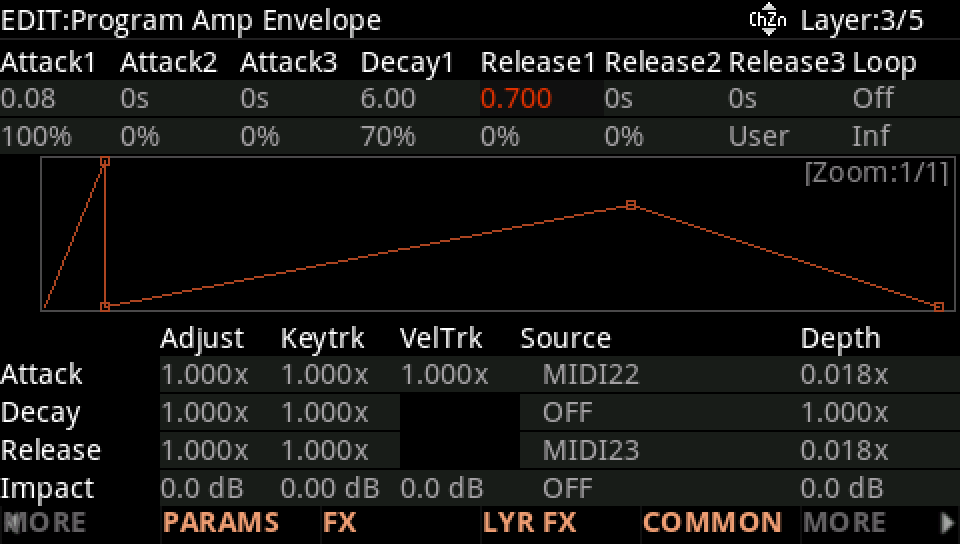
Move to Release1's time and turn it up, here to 0.7 s: let the key go and the pad fades longer.
Press EXIT and answer NO to leave the factory program as it was, or SAVE to keep your version on a USER ID.