The time scale
Time0 to 60 s · 256 stepsEach segment's time comes from a scale of 256 steps from 0 to 60 s: fine steps for short times, coarse ones for long times. 0, 2, 5 and 10 ms for clicks and snaps, 20 ms steps up to 2 s, then ever larger steps up to a minute.
SEE IT MOVE
Computed in your browser with KINSPIRATION's envelope engine, frame by frame; the tone follows each note's envelope.
WHAT TO KNOW
THE STEPS
0, 2, 5 and 10 ms; then 20 ms steps to 2 s, 40 ms to 5 s, 0.1 s to 10 s, 0.5 s to 15 s, 1 s to 25 s and 5 s to 60 s.
ATT2 AND ATT3
Only Att1 takes 2, 5 and 10 ms: Att2 and Att3 go from 0 straight to 20 ms. No factory program has an Att2 or Att3 under 20 ms.
USE IT FOR
0 to 10 ms for struck and plucked attacks; 20 to 100 ms for a soft start without a click; 1 to 3 s for swells; 10 to 60 s for decays that last as long as the note.
WATCH OUT
An attack of 0 starts the note at full level at once, which can click on a smooth wave. Long times are coarse: above 25 s the steps are 5 s.
IN THE FACTORY PROGRAMS
Att1: 2290 User AMPENVs start at 0 s and 1135 at 2, 5 or 10 ms. 659 segments last 10 s or more, 119 the full minute. Of 3514 Att2 and Att3 times in use, none is under 20 ms.
ATT1 UNDER 0.1 S
EVERY SEGMENT'S TIME
FIND THEM ON YOUR K2700
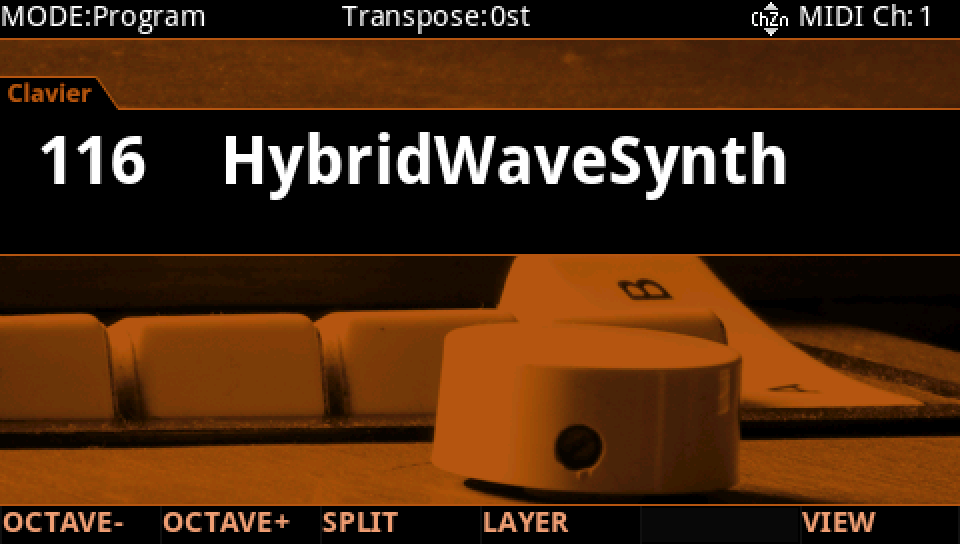
HOW TO ON YOUR K2700 · 116 HybridWaveSynth
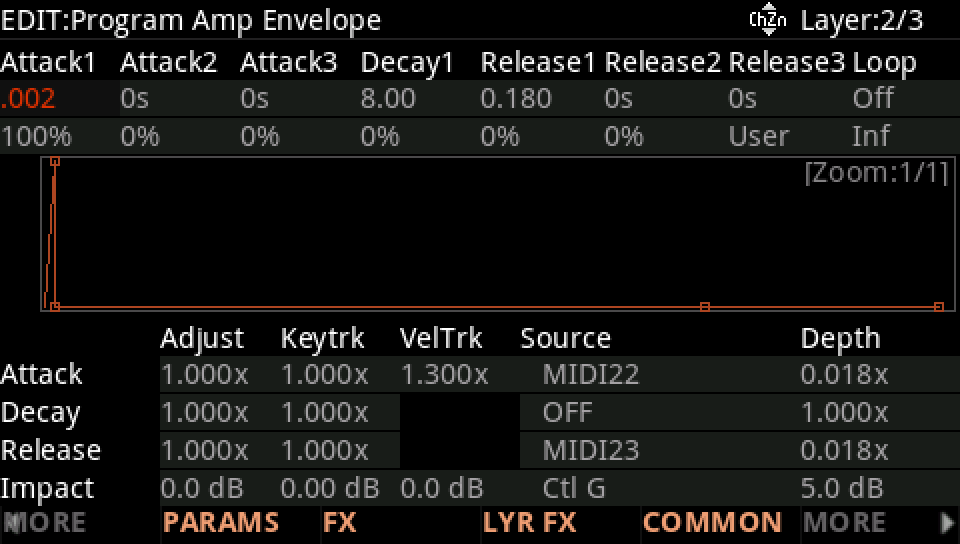
HybridWaveSynth's second layer starts in 2 ms and decays over 8 s: the two ends of the time scale.
In Program mode choose 116 HybridWaveSynth (KEYPAD, 116, ENTER).
Press EDIT, layer 2 (CHANNEL/LAYER ▲), MORE, AMP ENV. Attack1 is 2 ms, the shortest time above 0.
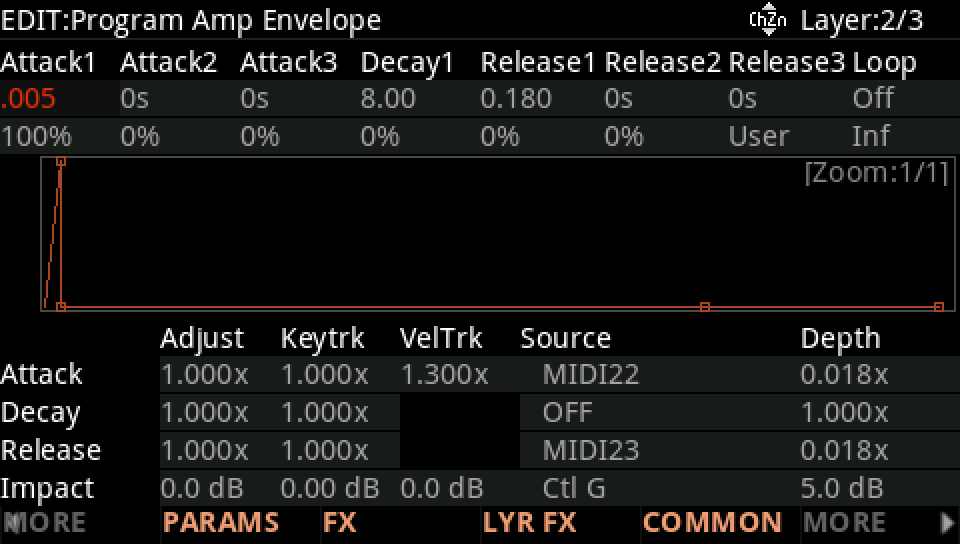
Turn Attack1 up one step: 5 ms. Then look at Decay1, 8 s: one step there is far longer, as the scale's steps grow with the time.
Press EXIT and answer NO to leave the factory program as it was, or SAVE to keep your version on a USER ID.