warp3(a,b)
shapes and warps= the 16-bit values of a and b combined bit by bitVariable Inverter: the binary values of a and b are combined bit by bit, which gives erratic, digital-looking results.
SEE IT MOVE
Computed in your browser with KINSPIRATION's FUN engine. Drag on the map to try any a and b.
WHAT TO KNOW
INPUTS
a: the pattern, a constant or a slow source; b: the signal, best a slow LFO.
OUTPUT RANGE
-1..+1
USE IT FOR
Glitchy, stepped variants of an LFO or a key curve; pseudo-random patterns that repeat with the LFO.
WATCH OUT
Tiny changes in either input can make large jumps: the result looks random but repeats exactly whenever a and b come back to the same values.
IN THE FACTORY PROGRAMS
In 1 FUN slot of the factory programs: FUN1 1. GFUN2 and GFUN4 are the program's global FUNs.
MOST USED INPUTS (a, b)
WHERE THE OUTPUT GOES
FIND THEM ON YOUR K2700
HOW TO ON YOUR K2700 · 2046 Editor Template
The factory does not route warp3(a,b) to a sound on its own: set one up on 2046 Editor Template and hear it on the pitch.
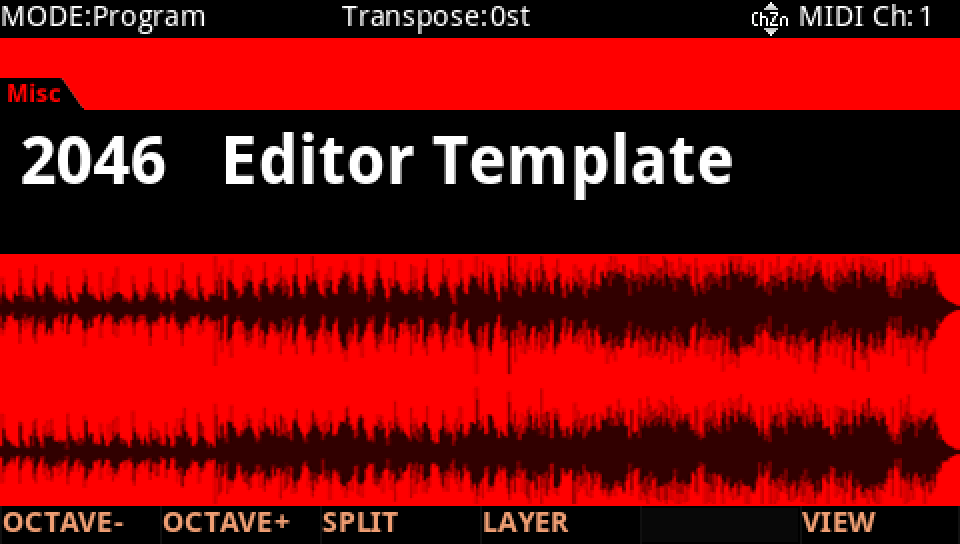
In Program mode choose 2046 Editor Template, a plain one-layer program to build on (KEYPAD, 2046, ENTER).
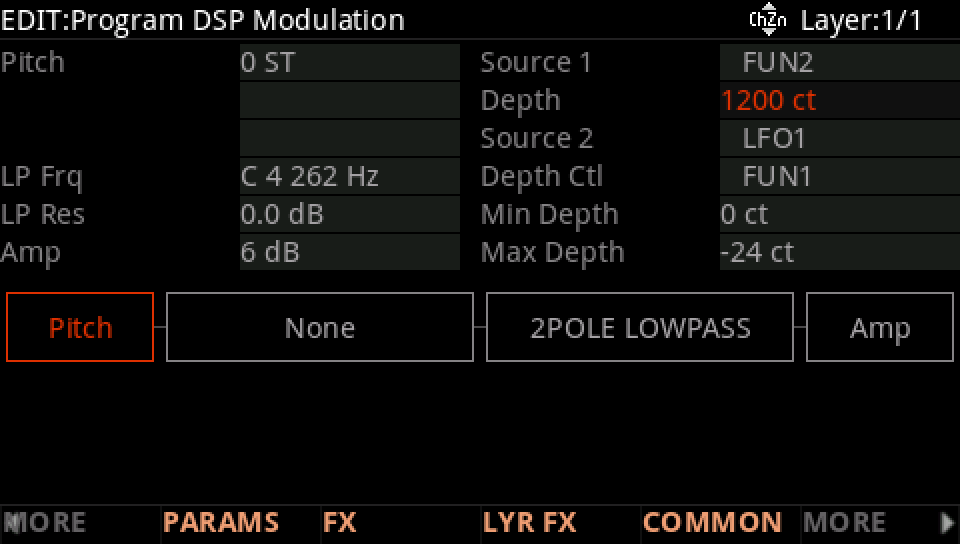
Press EDIT, then MORE and DSP MOD. On the Pitch row set Source 1 to FUN2 and its Depth to 1200 ct: FUN2's result, −1 to +1, now bends the pitch up to an octave either way.
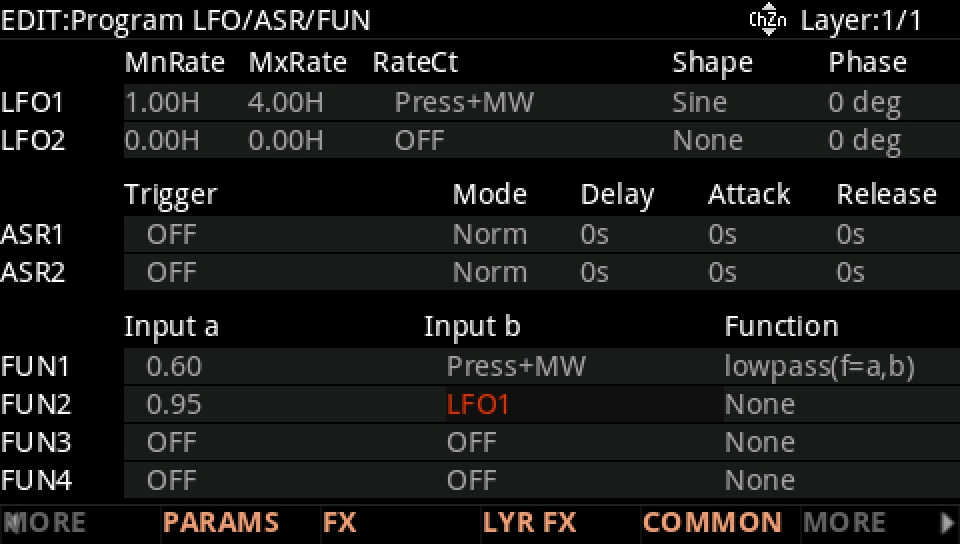
MORE, then LFO+. On the FUN2 row set Input a to 0.95 and Input b to LFO1.
Move to Function and turn the Alpha Wheel to warp3(a,b).
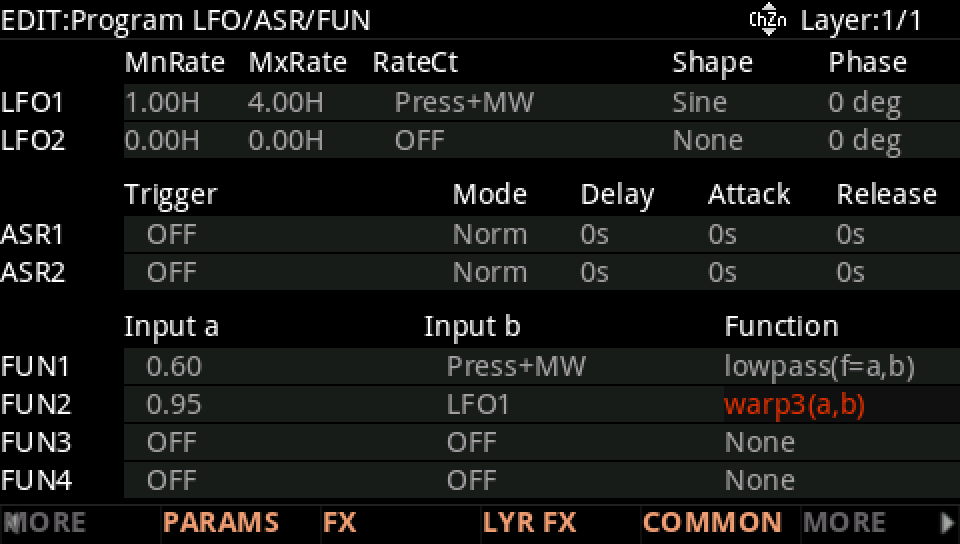
Hold a note: LFO1's sine comes out scrambled bit by bit, the pitch jumping in a glitchy pattern that comes round again with every cycle of the LFO.
Press EXIT and answer NO to leave the factory program as it was, or SAVE to keep your version on a USER ID.