Local and global
ScopeLFO1 per voice · LFO2 globalLFO1 belongs to each voice: every note starts its own, so the notes of a chord wobble each on its own. With the program's Globals On, LFO2 is one LFO for the whole program, running from the moment the program is chosen: every note moves with it, as one.
SEE IT MOVE
Computed in your browser with KINSPIRATION's LFO and ASR engine, frame by frame.
WHAT TO KNOW
THE FIELDS
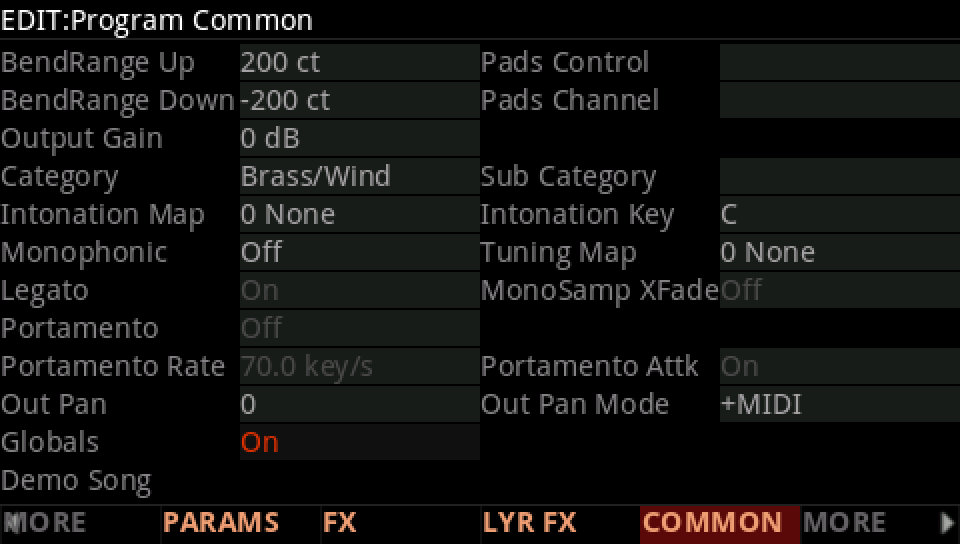
Globals, on the program's COMMON page, turns LFO2, ASR2, FUN2 and FUN4 into the program's own. The LFO page then shows GLFO2.
WHO SEES WHAT
Per voice: LFO1 always, LFO2 with Globals Off. For the whole program: LFO2 with Globals On, shared by every note of every layer.
USE IT FOR
Global: a tremolo, a pan or a filter sweep that pulses as one across a chord. Local: a vibrato or a sweep that belongs to each note and starts with it.
WATCH OUT
A global LFO2's rate can only be moved by sources the whole program shares: MIDI controllers, the wheels, pressure, the clocks, never one note's velocity or envelope.
IN THE FACTORY PROGRAMS
LFO1 runs per voice in 3041 layers, LFO2 per voice in 391; 627 programs turn Globals On and use one LFO2 for the whole program. Their favourite rate control is MIDI14 (Knob 5).
WHICH LFO
GLOBAL LFO2 RATE CONTROL
FIND THEM ON YOUR K2700
HOW TO ON YOUR K2700 · 674 MiamiBrassSects
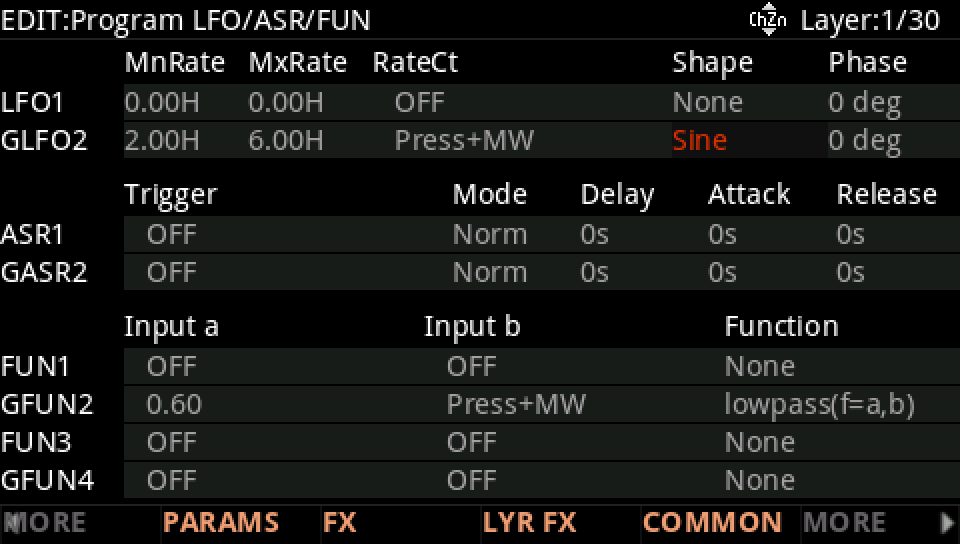
MiamiBrassSects turns Globals on: one LFO2 for the whole program, moved by pressure and the wheel.
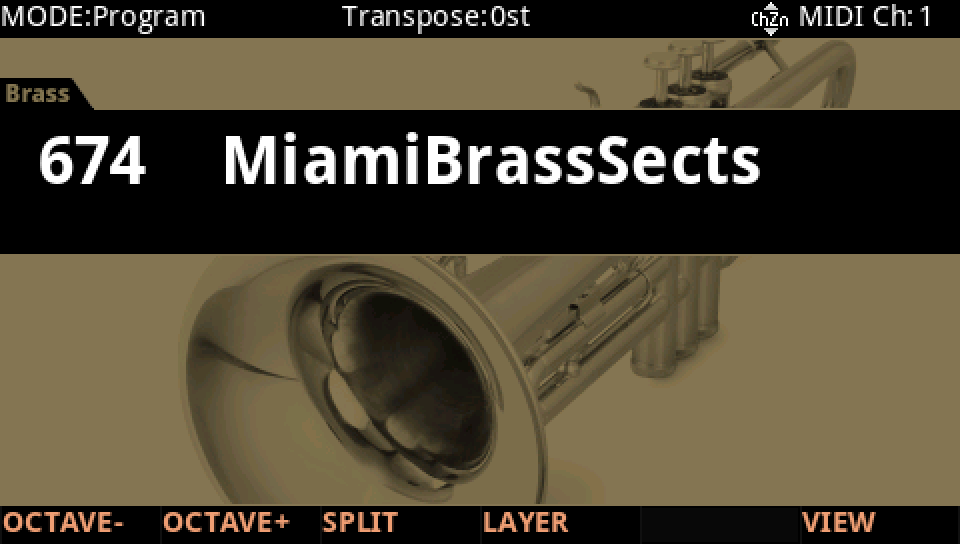
In Program mode choose 674 MiamiBrassSects (KEYPAD, 674, ENTER).
Press EDIT, then COMMON. Globals is On: LFO2, ASR2, FUN2 and FUN4 belong to the program, not to each voice.
MORE, then LFO+: the row is now GLFO2, the program's own, a Sine from 2.00 Hz to 6.00 Hz by Press+MW. Play a chord and press harder into the keys: the vibrato quickens, the same for every note.
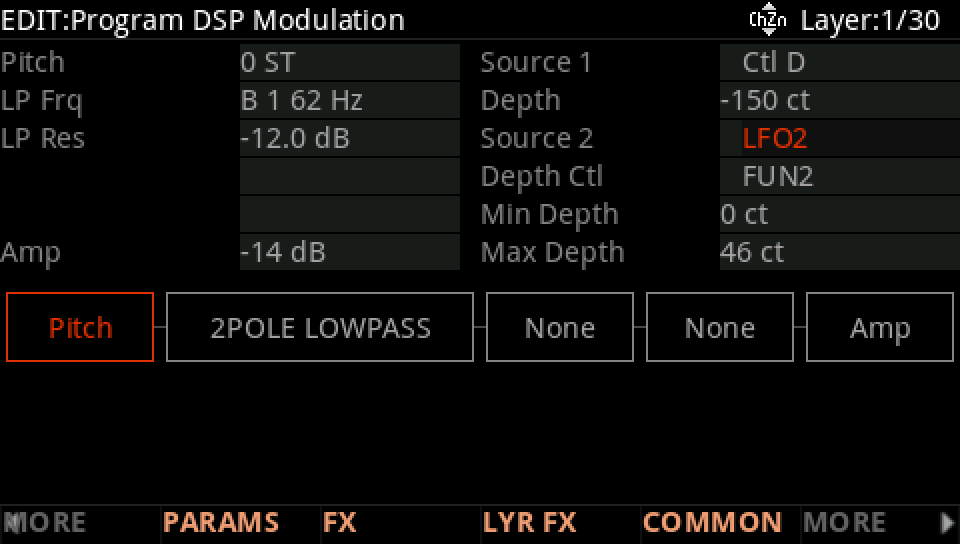
On DSP MOD, the Pitch row's Source 2 is LFO2, its depth from 0 ct to 46 ct as FUN2 rises.
Press EXIT and answer NO to leave the factory program as it was, or SAVE to keep your version on a USER ID.