Vibrato, tremolo, wah
DestinationPITCH · AMP · a filterAn LFO does nothing until a field reads it. On the pitch it is a vibrato, on the level a tremolo, on a filter's frequency a wah, on the pan an auto-pan: the same wave, a different destination and a depth in that destination's own units.
SEE IT MOVE
Computed in your browser with KINSPIRATION's LFO and ASR engine, frame by frame.
WHAT TO KNOW
WHERE
PITCH Src2 for a vibrato (cents), AMP Src2 for a tremolo (dB), a filter's frequency Src2 (cents), the pan. Src2 has a depth control: the mod wheel or pressure brings the vibrato in.
DEPTHS
Factory vibratos sit around 25 to 30 cents; tremolos around −7 dB; filter wobbles span from a few hundred to a few thousand cents.
USE IT FOR
Vibrato on solo sounds, tremolo on electric pianos and organs, a filter wah on basses and pads, a slow pan to widen a sound.
WATCH OUT
A bipolar shape on AMP pushes the level above the set level half the time: a '+' shape with a negative depth keeps it at or below. Large pitch depths stop sounding like vibrato.
IN THE FACTORY PROGRAMS
Vibratos (an LFO on PITCH Src2) have a median depth of 30 cents; tremolos (an LFO on AMP Src2) a median of -6 dB.
WHERE LFO1 GOES
WHERE LFO2 GOES
FIND THEM ON YOUR K2700
HOW TO ON YOUR K2700 · 105 Clavi BC
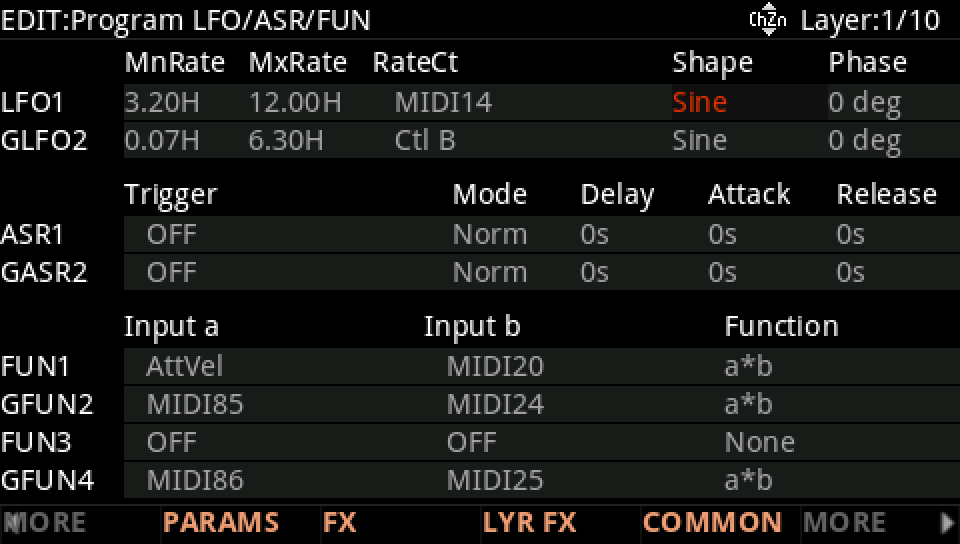
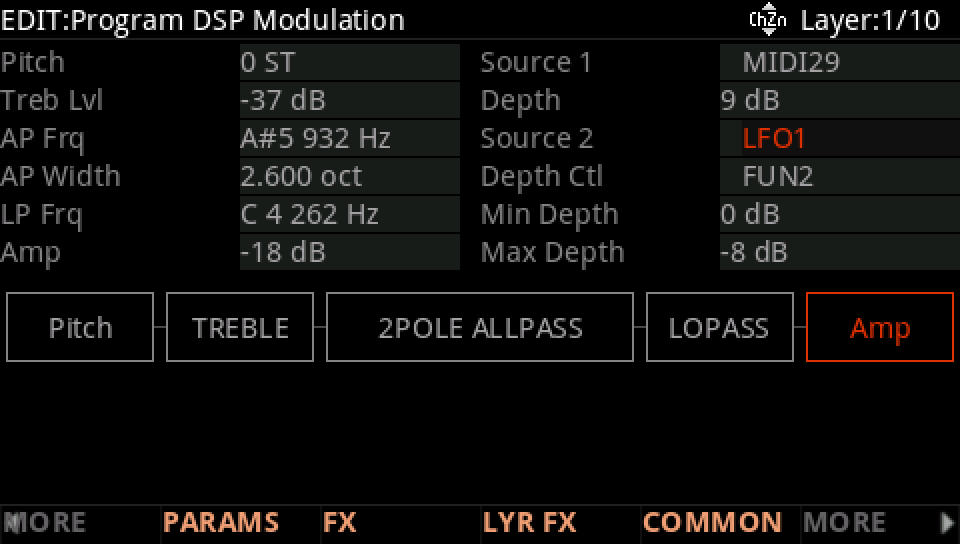
Clavi BC's LFO1 goes to the level: a tremolo, its speed on Knob 5.
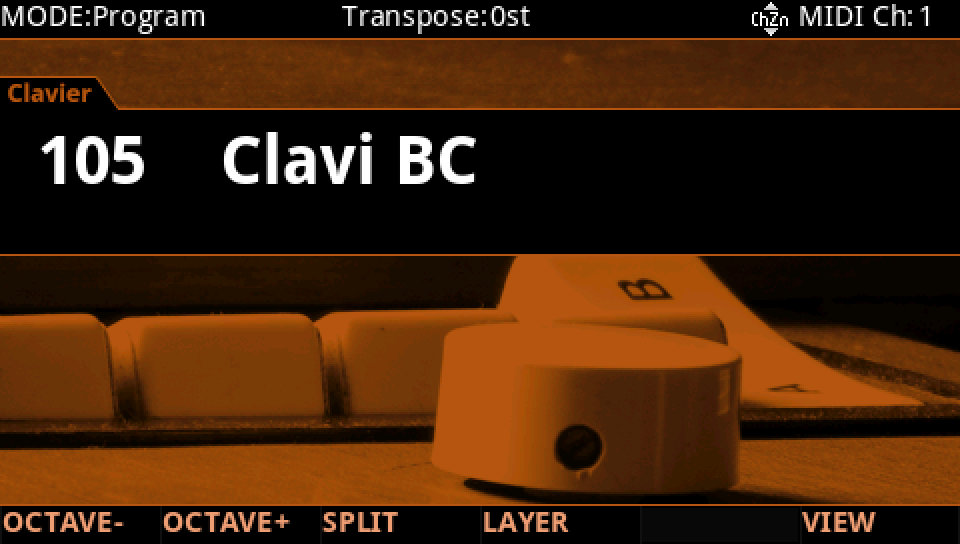
In Program mode choose 105 Clavi BC (KEYPAD, 105, ENTER).
Press EDIT, then MORE and LFO+. LFO1 is a Sine from 3.20 Hz to 12.00 Hz, its speed on MIDI14 (Knob 5).
Where it goes: MORE, DSP MOD. On the Amp row Source 2 is LFO1: a tremolo, its depth between 0 dB and -8 dB as FUN2 moves. On the Pitch row it would be a vibrato; on a filter's row, a wah.
Press EXIT and answer NO to leave the factory program as it was, or SAVE to keep your version on a USER ID.