How a row adds up
The sumvalue · KeyTrk · VelTrk · Src1 · Src2Every row of a layer (its pitch, its level and each DSP function's parameter) adds up five things: its value, the key tracking, the velocity tracking, Source 1 times its Depth, and Source 2 times a depth of its own. The sum is then held inside the parameter's range.
SEE IT MOVE
Computed in your browser with KINSPIRATION's row and modulator engines, frame by frame.
WHAT TO KNOW
THE SUM
value + KeyTrk × the keys from C4 + VelTrk × velocity / 127 + Src1 × Depth + Src2 × (Min Depth + Depth Ctl × (Max Depth − Min Depth)), clamped to the parameter's range.
THE UNITS
Each term is in the row's own unit: cents on PITCH and on a filter's frequency, dB on AMP and on gains. A frequency row's value is shown as a note and Hz (C 4 262 Hz); its depths add cents.
USE IT FOR
Reading any row at a glance: where it starts, how it changes up the keyboard and with velocity, and which two sources move it while the note plays.
WATCH OUT
The clamp hides sums that go too far: a filter already at its top cannot open further, so a source added there does nothing until the others bring the sum back down.
IN THE FACTORY PROGRAMS
46,074 rows in the factory's VAST layers: 24,642 use Source 1, 15,533 Source 2, 8,524 key tracking and 11,108 velocity tracking; 1,544 use all four.
TERMS IN USE
HOW MANY A ROW USES
FIND THEM ON YOUR K2700
HOW TO ON YOUR K2700 · 506 Poly Sweep
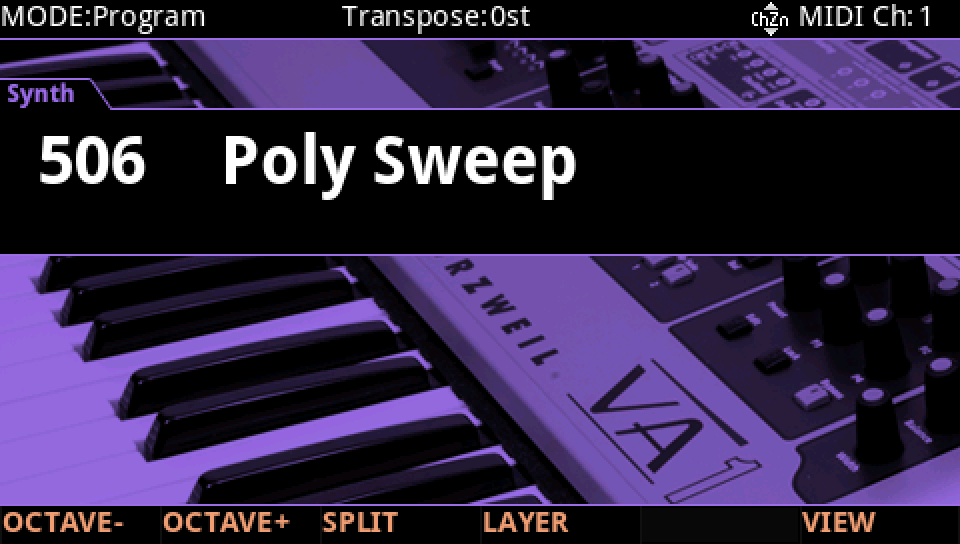
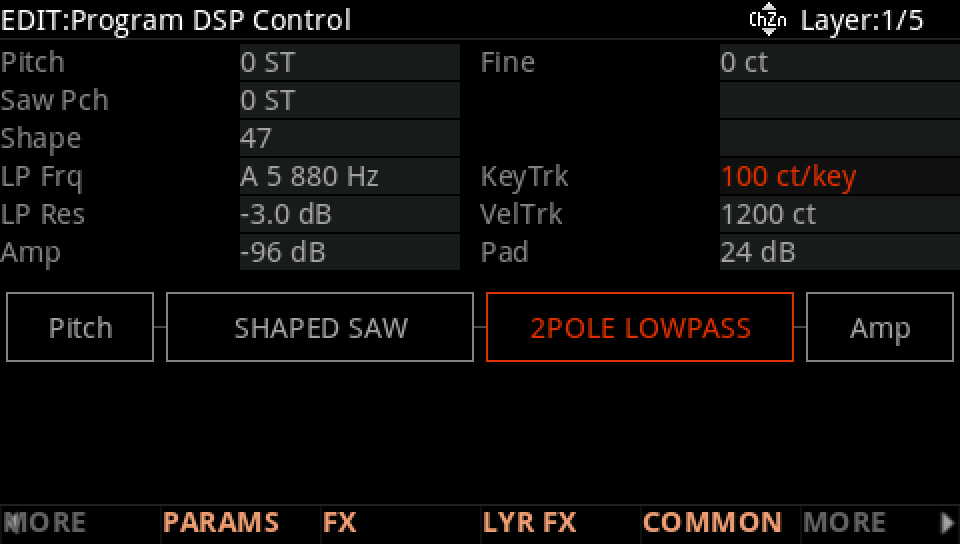
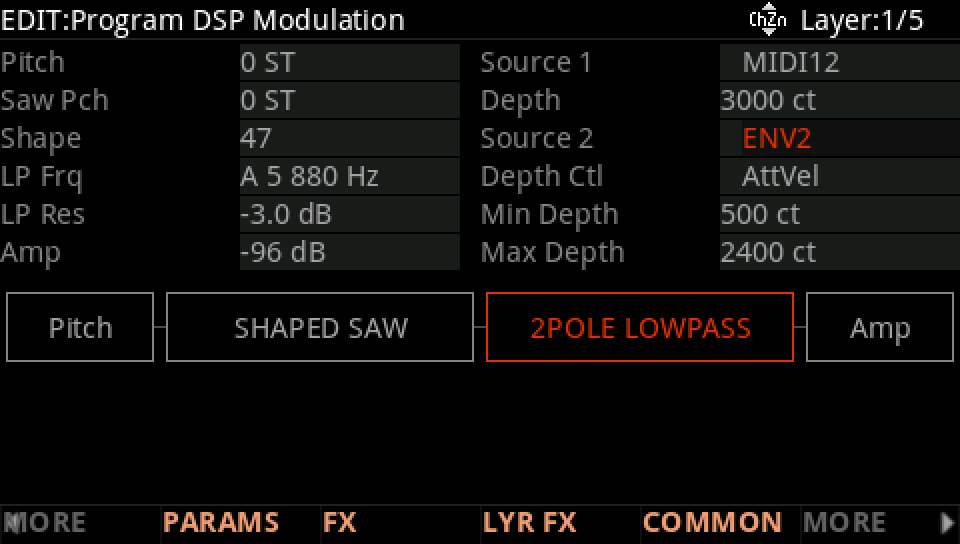
Poly Sweep's first layer uses all five terms on one row, its lowpass filter's frequency. Find each of them.
In Program mode choose 506 Poly Sweep (KEYPAD, 506, ENTER).
Press EDIT, then MORE and DSP CTL, and move down to the LP Frq row: its value is A 5 880 Hz, KeyTrk 100 ct/key and VelTrk 1200 ct, the first three terms.
MORE, then DSP MOD, the same LP Frq row: Source 1 is MIDI12 (Slider 1) with a Depth of 3000 ct, Source 2 ENV2 with its depth from 500 ct to 2400 ct as AttVel rises: the last two.
Play up the keyboard, softly and then hard, and move Slider 1: each note adds the five up again, brighter higher up, for harder notes and with the slider up.
Press EXIT and answer NO to leave the factory program as it was, or SAVE to keep your version on a USER ID.