Source 2 and its Depth Ctl
Src2Src2 · Depth Ctl · Min Depth · Max DepthSource 2 adds the source times a depth that can move: Min Depth while its Depth Ctl is 0, Max Depth when it is at 1, and the way between. That is how a control sets how much of a modulation you get, without a FUN: an LFO in Src2 with the mod wheel as its Depth Ctl is the classic vibrato.
SEE IT MOVE
Computed in your browser with KINSPIRATION's row and modulator engines, frame by frame.
WHAT TO KNOW
THE FIELDS
Src2 is what moves the row; Depth Ctl sets its depth between Min Depth and Max Depth: depth = Min + Depth Ctl × (Max − Min).
OFF AND ON
With Depth Ctl OFF the depth is Min Depth alone; with ON it is Max Depth alone: a plain fixed depth, as in Src1.
USE IT FOR
A vibrato on the mod wheel; a vibrato that fades in, with an ASR as Depth Ctl; a filter envelope that opens further for harder notes, ENV2 with AttVel.
WATCH OUT
A Min Depth that is not 0 leaves some modulation with the control at rest. A Max Depth below the Min turns the control round: up means less.
IN THE FACTORY PROGRAMS
15,533 rows use Source 2. Their Depth Ctl: 1,390 OFF (Min Depth alone), 1,476 ON (Max Depth alone), the rest a source; 4,273 have a Min Depth other than 0, and 655 are an LFO vibrato on the mod wheel.
THE DEPTH CTL
MIN AND MAX
FIND THEM ON YOUR K2700
HOW TO ON YOUR K2700 · 288 Solemn Strings
Solemn Strings puts its vibrato on the mod wheel through Source 2. Change Min Depth, then the Depth Ctl.
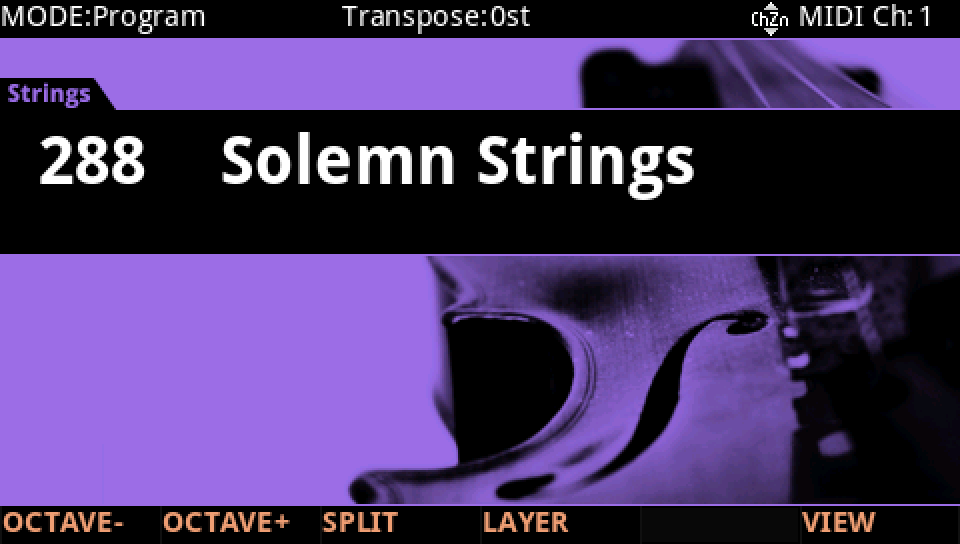
In Program mode choose 288 Solemn Strings (KEYPAD, 288, ENTER).
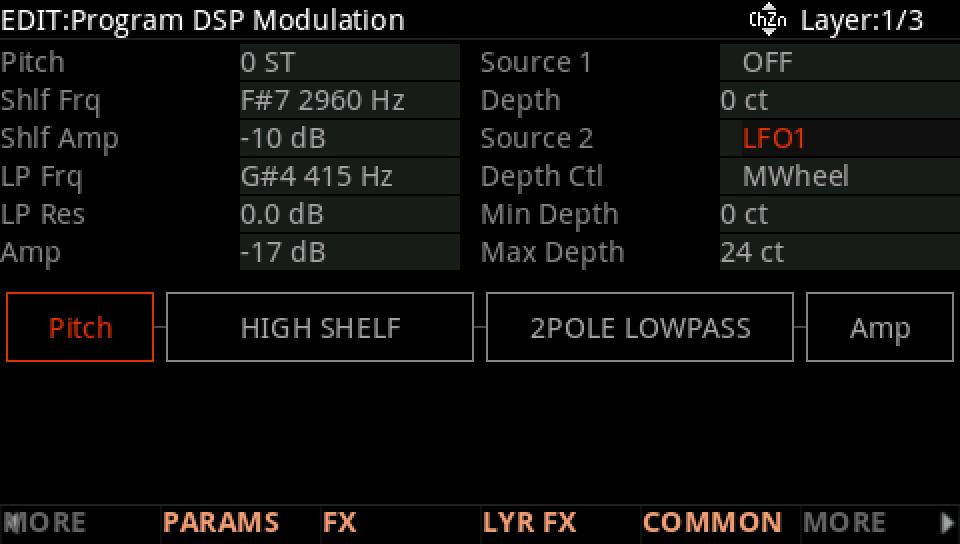
Press EDIT, then MORE and DSP MOD. On the Pitch row Source 2 is LFO1, its Depth Ctl MWheel, from 0 ct (Min Depth) to 24 ct (Max Depth): the wheel sets the vibrato.
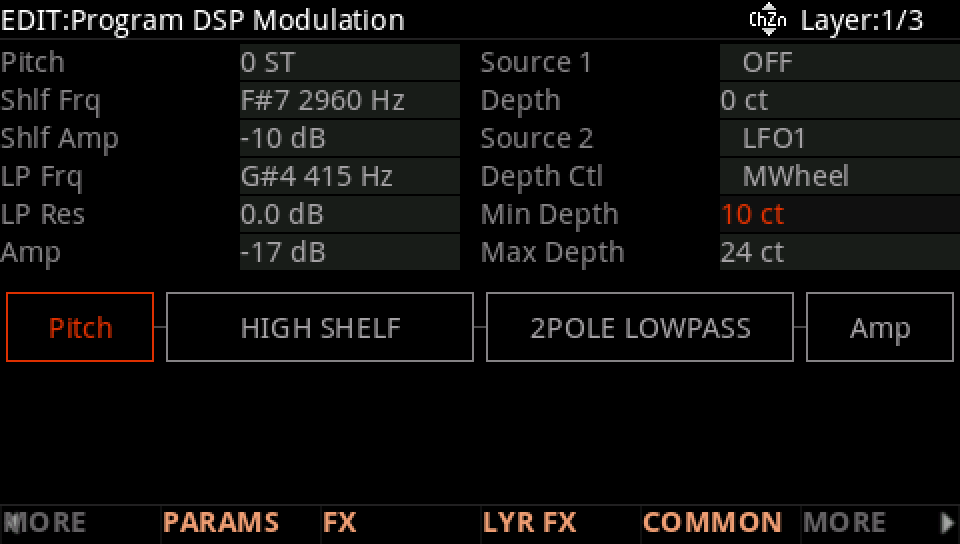
Move to Min Depth and turn it to 10 ct: with the wheel down there is already a little vibrato.
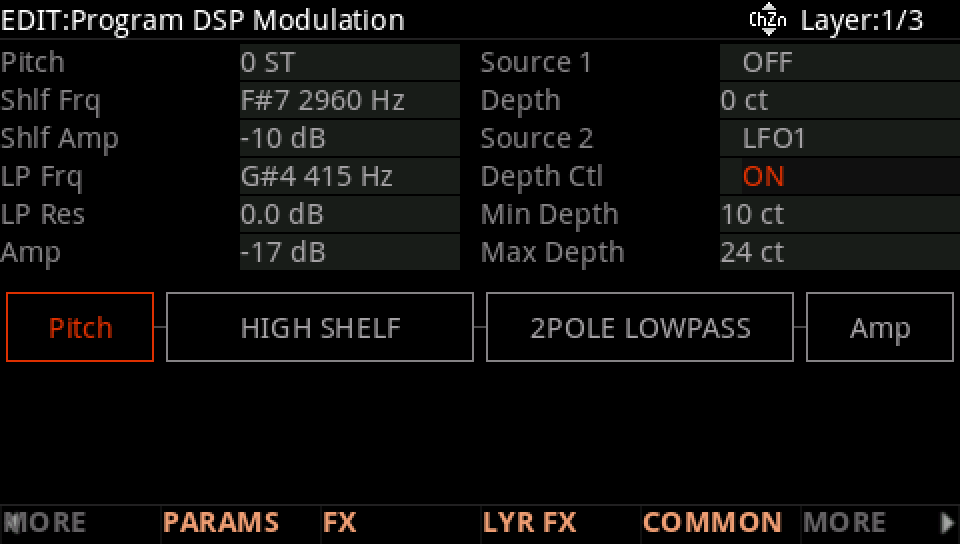
Move to Depth Ctl and choose ON: the depth is now Max Depth, 24 ct, whatever the wheel. OFF would leave Min Depth alone.
Press EXIT and answer NO to leave the factory program as it was, or SAVE to keep your version on a USER ID.