The panel's controls
Controlsknobs · sliders · buttons · wheels · pedalsEach control on the K2700's panel sends a MIDI controller, and a row names it by its source: Slider 1 is MIDI12, Slider 3 MIDI22, Button 3 Ctl G, Knob 5 MIDI14, the mod wheel MWheel. A program gives its controls names on the PARAMS page, and says where each one starts when the program is chosen.
SEE IT MOVE
Computed in your browser with KINSPIRATION's row and modulator engines, frame by frame.
WHAT TO KNOW
THE NAMES
Knobs 1-9: MIDI71, 73, 72, 79, 14, Ctl B, Ctl C, MIDI03, 09. Sliders 1-9: MIDI12, 13, 22 to 28. Buttons 1-9: Ctl E, F, G, H, MIDI85, 86, 87, 89, 90. Variation: MIDI29. Ribbon: MIDI21.
THE LABELS
The PARAMS page lists the controls a program uses with the names it gives them: Filter Freq, Attack, Release, Impact, Reverb Amount. Most programs share the same plan.
WHERE THEY START
Entry values set each control when the program is chosen: the filter slider at the top (open), Attack and Release at 0, the reverb slider low.
WATCH OUT
Global overrides (the pedals, the pressure and velocity maps) and a Multi can change what a control sends: when a control does nothing, look there before blaming the row.
IN THE FACTORY PROGRAMS
1,384 factory programs name their controls on the PARAMS page; on the panel the commonest are Ribbon Aux Pitch (1,384), Slider 9 Reverb Amount (1,362), Button 9 Reverb Enable (1,348), Slider 3 Attack (1,319).
THE LABELS
MORE LABELS
FIND THEM ON YOUR K2700
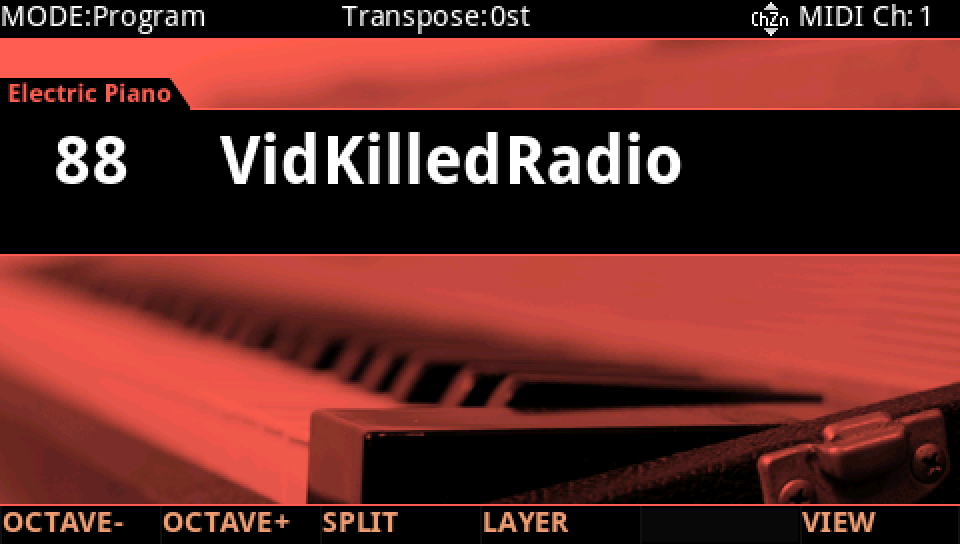
HOW TO ON YOUR K2700 · 88 VidKilledRadio
VidKilledRadio follows the factory's panel plan. Find where each control goes.
In Program mode choose 88 VidKilledRadio (KEYPAD, 88, ENTER).
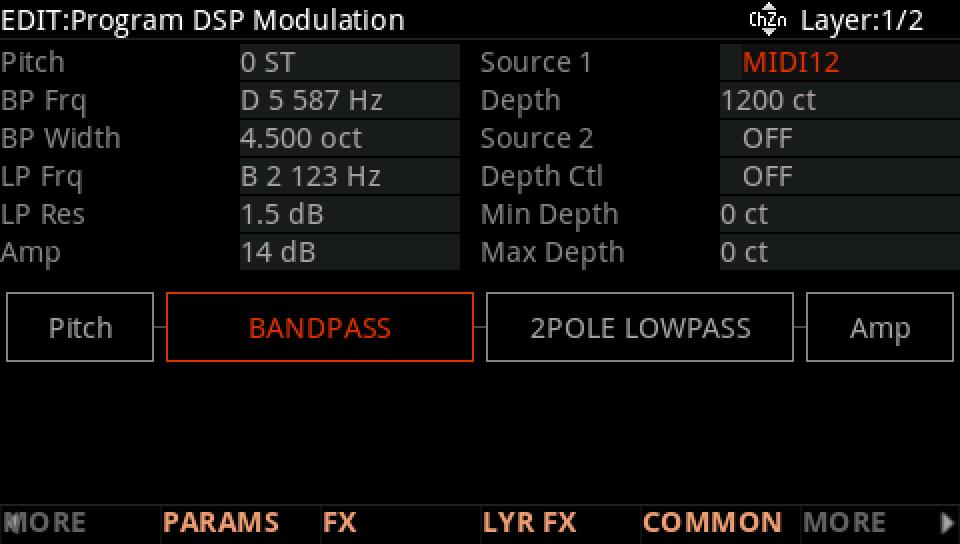
Press EDIT, then MORE and DSP MOD. On the BP Frq row Source 1 is MIDI12: Slider 1, the brightness slider, with a Depth of 1200 ct.
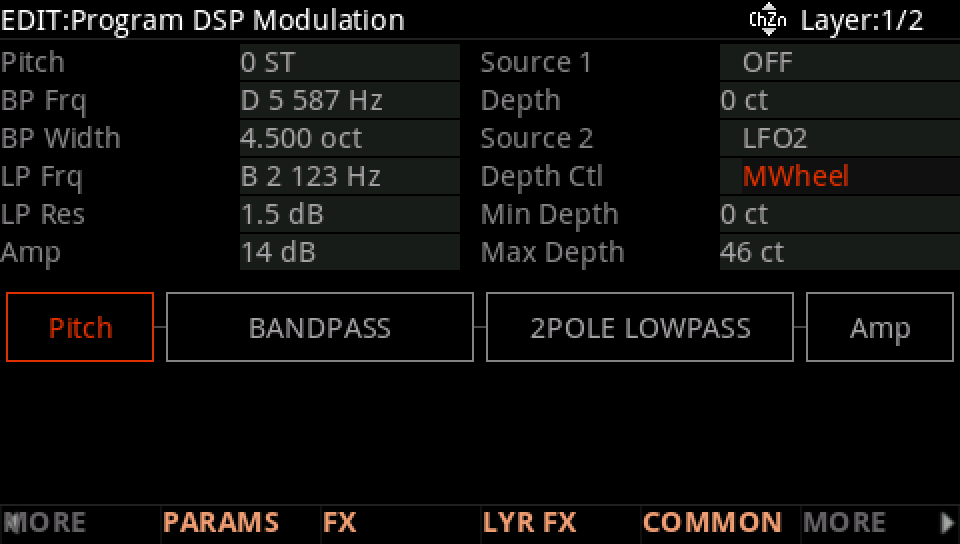
On the Pitch row Source 2 is LFO2 with the mod wheel, MWheel, as its Depth Ctl: the vibrato.
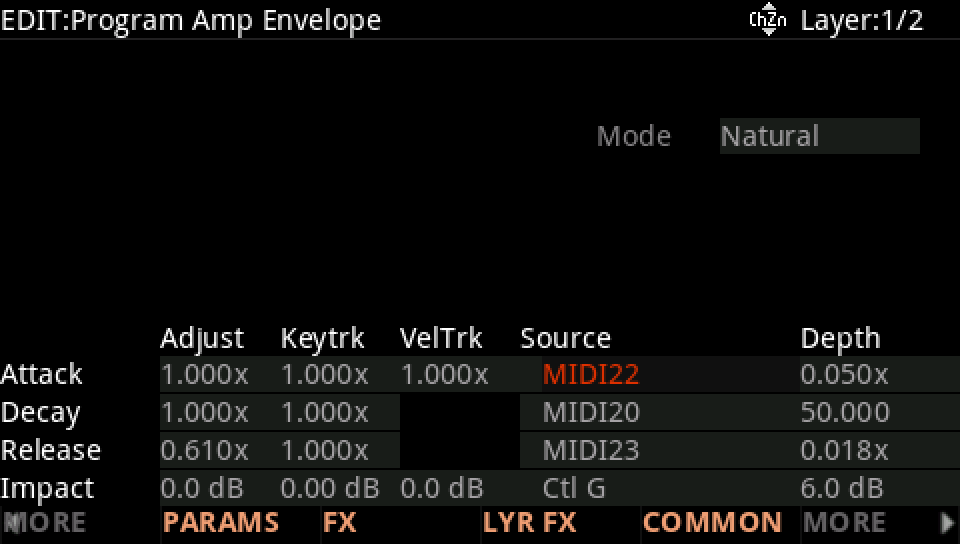
MORE, then AMP ENV: the Attack row's Source is MIDI22 (Slider 3), the Release row's MIDI23 (Slider 4), Impact's Ctl G (Button 3).
Press EXIT and answer NO to leave the factory program as it was, or SAVE to keep your version on a USER ID.