EQ, enhancer and compressor
Tone · DynamicsBands · Hi Drive · Threshold · RatioThese shape the tone and the dynamics, not the space. The 5 Band EQ has bass and treble shelves and three bell-shaped mids; the 2 Band Enhancer splits off the highs, drives them and mixes them back; the compressor turns the level down above a threshold by a ratio, so loud and soft come closer.
SEE IT MOVE
Computed in your browser with KINSPIRATION's effects, sample by sample, with the values the program's own controllers give its chains. The phrase going in is a simple stand-in for the program's layers.
WHAT TO KNOW
THE EQ
Each band is a gain in dB at a frequency, the mids with a width in octaves. Many factory chains switch their EQ in from a button (EQ Enable).
THE ENHANCER
CrossOver splits the bands; Hi Drive pushes the high band into a soft curve that adds harmonics, Hi Shelf brightens it; Lo Mix and Hi Mix balance the two.
THE COMPRESSOR
Above Threshold, Ratio holds the level back (4:1: a quarter of what goes over gets through), with a soft knee 12 dB wide; Attack and Release set how fast. The factory's compressors listen to their own output (FdbkComprs In), which makes them gentler than their Ratio: the curve on the left shows it.
WATCH OUT
A boost adds level: 12 dB more bass into a compressor makes it work harder. The factory's pianos compress at 2.8:1 to 4:1, and gently.
IN THE FACTORY PROGRAMS
Playing in the factory programs: 5 Band EQ in 573, SoftKneeCompress in 203, 2 Band Enhancer in 104, Resonant Filter in 42. The compressors' median ratio is 6:1.
TONE AND DYNAMICS THAT PLAY
COMPRESSOR RATIOS
FIND THEM ON YOUR K2700
HOW TO ON YOUR K2700 · 16 Blues Piano
Blues Piano's EQ is switched in from Button 1 and set by Knob 1 and Knob 4.
In Program mode choose 16 Blues Piano (KEYPAD, 16, ENTER).
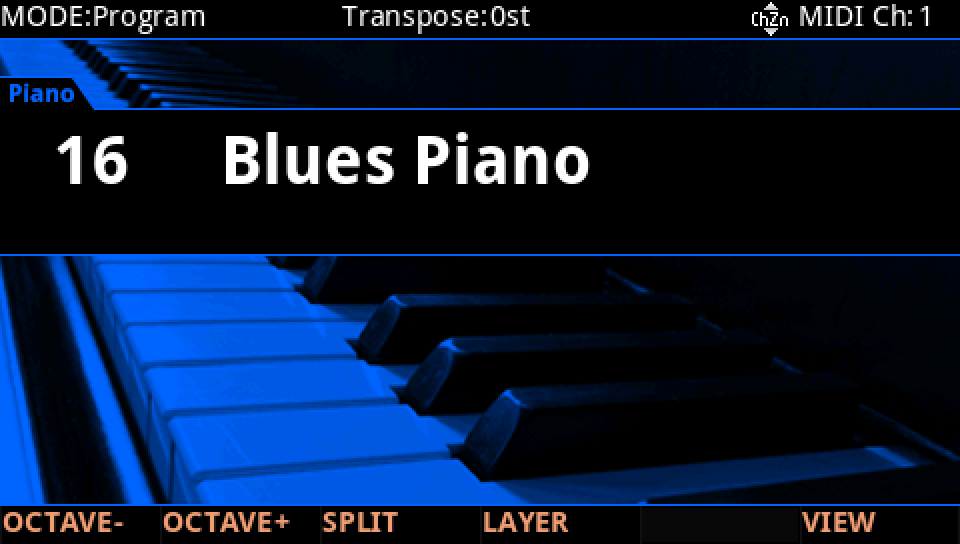
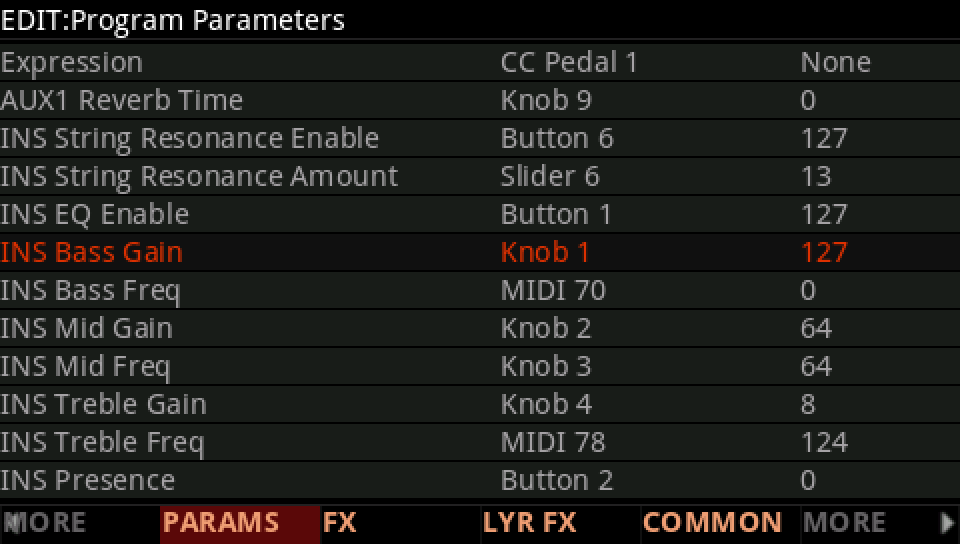
Press EDIT, then PARAMS. INS Bass Gain is on Knob 1, at 127: the bass shelf at +16 dB, the top of its range.
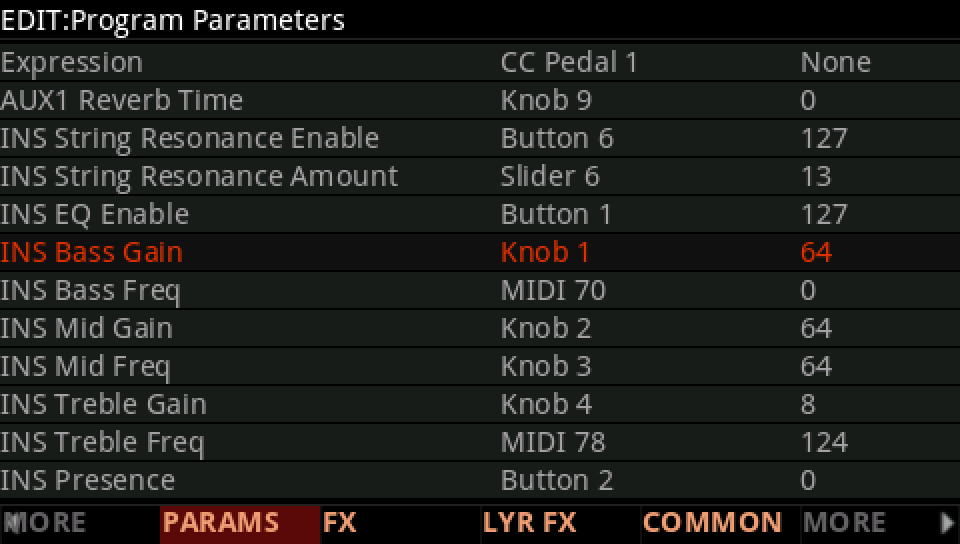
Turn Knob 1 to the middle, 64: the bass shelf at 0 dB, and the piano thinner.
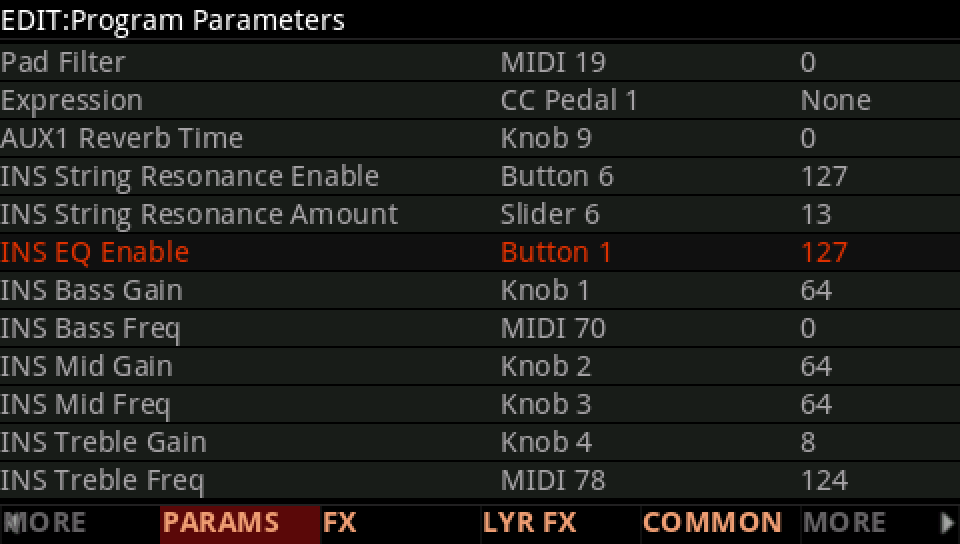
INS EQ Enable is on Button 1, at 127: press Button 1 and the whole EQ goes out, to compare.
Press EXIT and answer NO to leave the factory program as it was, or SAVE to keep your version on a USER ID.