Insert and aux
RoutingInsert · Aux 1 · Aux 2 · sends · Pre/PostA program's sound goes through its insert chain, effects in series that each mix their own wet and dry, and on to the output. Two sends tap it on the way and feed the aux chains, most often a reverb, which run all wet and come back on top. The send decides how much reaches the aux: Post takes it after the insert, Pre before.
SEE IT MOVE
Computed in your browser with KINSPIRATION's effects, sample by sample, with the values the program's own controllers give its chains. The phrase going in is a simple stand-in for the program's layers.
WHAT TO KNOW
THE PATH
The layers, the insert chain, the output. Send 1 and Send 2 copy the sound into Aux 1 and Aux 2, whose returns are added at the output. A layer can have an insert chain of its own (LYR FX) and its own sends into the same two aux chains.
% OR dB
A % send is a wet/dry mix: at 25 % a quarter of the sound goes to the aux and the dry falls to 75 %. A dB send leaves the dry whole and lays the aux over it, as a mixing desk does.
USE IT FOR
The insert for what belongs to the sound (a chorus, a phaser, an EQ, a rotary); the aux for the room it plays in, shared by every channel of a Multi.
WATCH OUT
In an aux chain every box runs 100 % wet: a chain's own Wet/Dry counts only as an insert. And the factory's sends follow Slider 9 while Button 9 is on (Sld9&Sw9): with Button 9 off, no reverb.
IN THE FACTORY PROGRAMS
1,411 of the 1,544 factory programs send to Aux 1, 7 to Aux 2 as well. Of their 1,895 sends 1,892 are Post and 1,879 are %, at a median of 19 % once the programs' own controllers have set them.
THE AUX 1 CHAINS
HOW MUCH SEND 1 SENDS
FIND THEM ON YOUR K2700
HOW TO ON YOUR K2700 · 12 Concert Piano
Concert Piano sends its sound to Hall Reverb 1 on Aux 1. Find the send, then take it before the insert.
In Program mode choose 12 Concert Piano (KEYPAD, 12, ENTER).
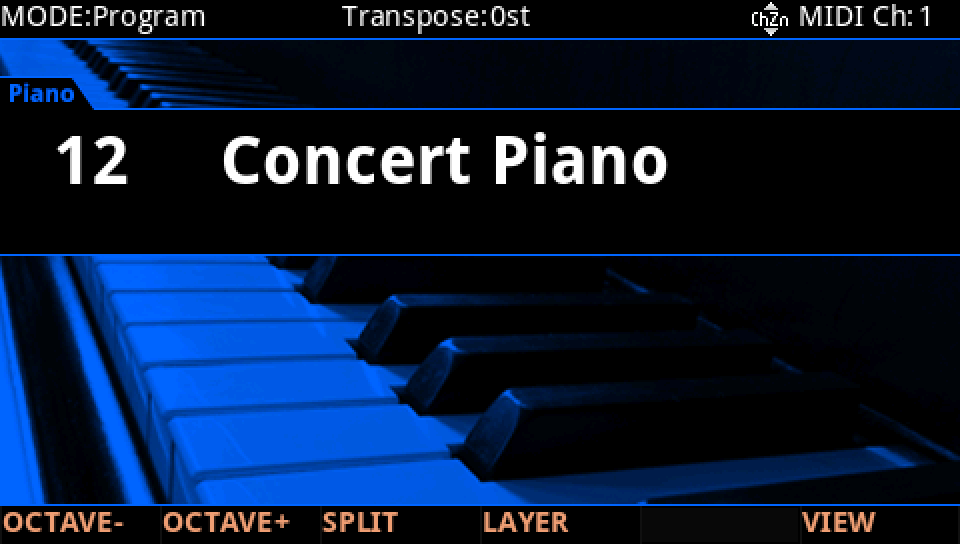
Press EDIT, then FX. The insert chain is Concert Piano FX, Aux 1 is Hall Reverb 1. Send 1 is 100%, Post, of the % type, scaled by Sld9&Sw9: Slider 9, while Button 9 is on.
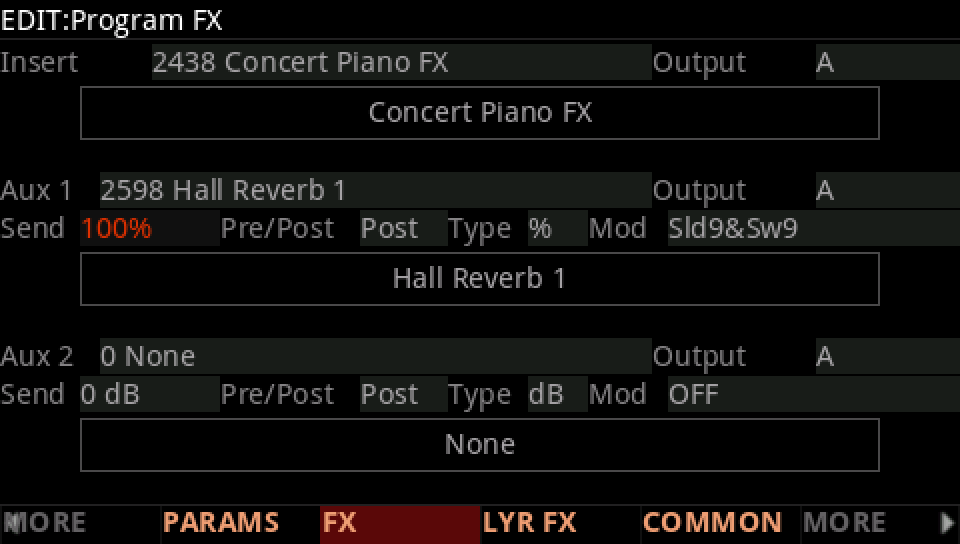
Move the cursor to Pre/Post and turn the Alpha Wheel one step: Pre. The reverb now hears the piano before the insert chain's EQ.
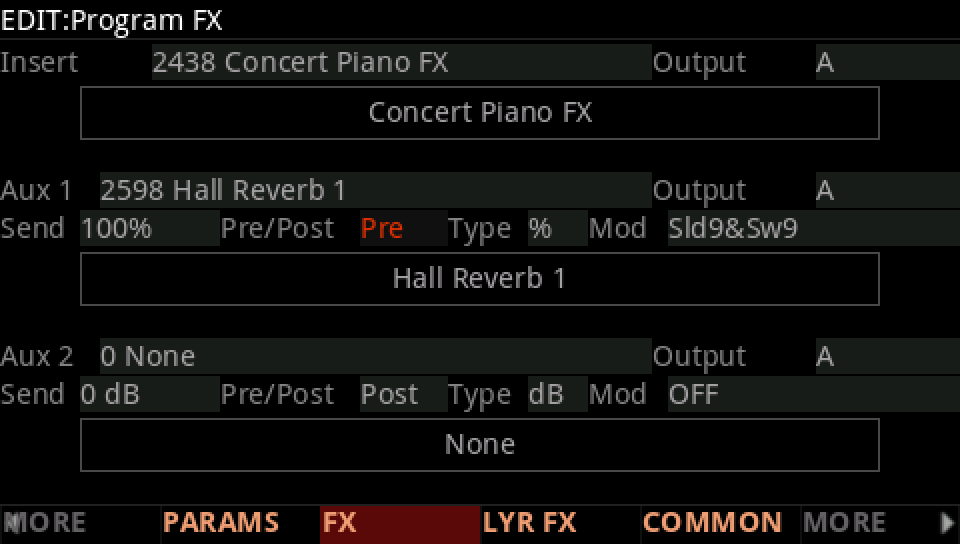
Play and move Slider 9: the reverb follows it while Button 9 is on. With Button 9 off there is no reverb at all.
Press EXIT and answer NO to leave the factory program as it was, or SAVE to keep your version on a USER ID.